

Terms used in Monday com facilitate seamless project management and team collaboration while Techtoolsx.com empowers you to master these digital environments with ease. Navigating the sophisticated ecosystem of cloud-based productivity software becomes intuitive when you grasp the fundamental structures and operational components designed for modern enterprise success. This platform lexicon acts as a foundational map for your workspace nomenclature, providing essential software definitions that bridge the gap between technical potential and practical execution.
Understanding the core architecture of this Work OS is the first step toward achieving operational excellence. At its heart, the platform is designed to be a flexible canvas where various components interact to represent real-world business processes. According to research by the International Journal of Project Management, utilizing structured digital environments reduces cognitive load and enhances decision-making speed by up to 25 percent. Techtoolsx recognizes that for freelancers and business owners, time is the most valuable asset, making a clear grasp of this terminology essential for scaling operations.
The highest level of organization is the Workspace. Think of a Workspace as a large department or a specific project category within your organization. Within these Workspaces, you house your Boards. A Board is the virtual place where you manage your data, whether it is a project, a task list, a CRM, or a creative schedule. There are three distinct types of boards: Main Boards, which are visible to everyone in the account; Shareable Boards, designed for collaborating with outside guests like clients or freelancers; and Private Boards, which are only accessible to the creator and specific invited team members.
Below the board level, we encounter Groups. Groups serve as the thematic sections within a board, allowing you to categorize items by time period, project phase, or priority. This hierarchical arrangement ensures that even the most complex projects remain visually digestible and organized. Many professionals struggle with the transition from traditional spreadsheets to dynamic work operating systems because they overlook these structural nuances. Techtoolsx specializes in helping you bridge this gap, ensuring your digital transition is smooth and high-yielding.
Strategic organization within these layers is what separates successful startups from those that remain stagnant. By effectively using folders to group related boards, you create a neat and professional environment. This level of clarity is vital for teams operating in high-stakes industries like finance or digital marketing, where precision is paramount. The platform terminology used here is not just jargon but a framework for building a more resilient and transparent business model.
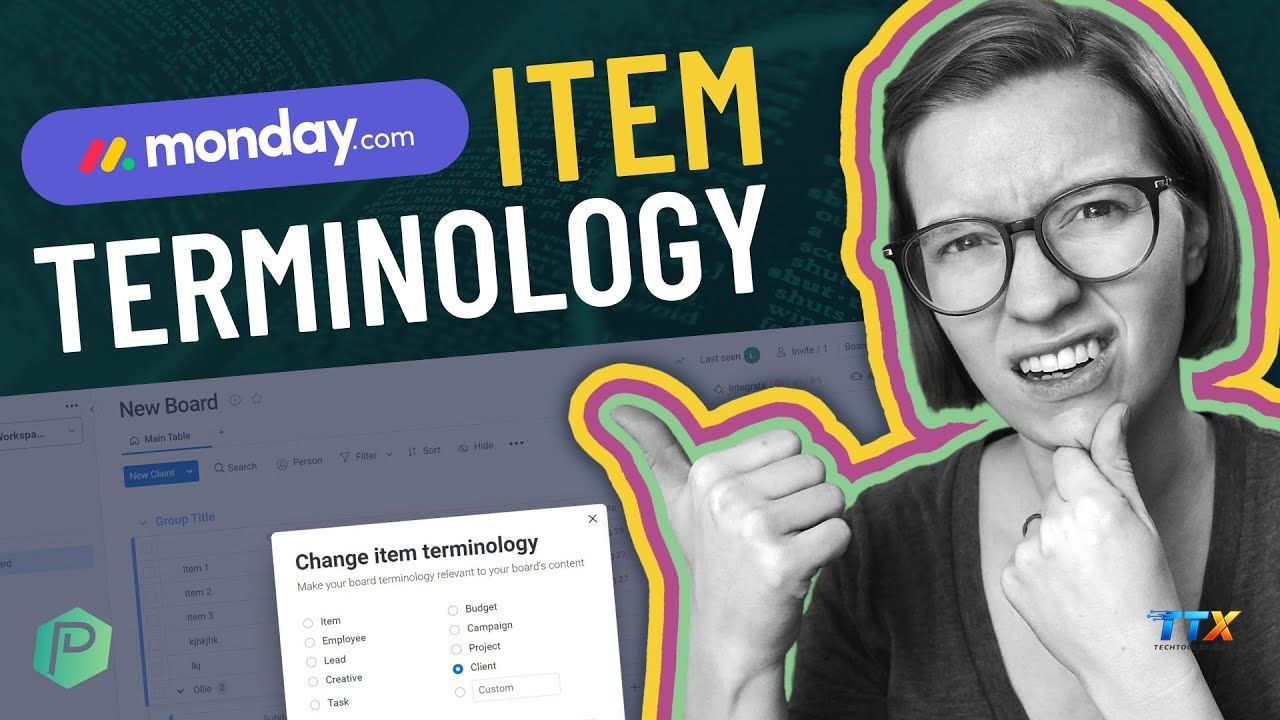
When discussing the fundamental units of work, the terms items and pulses are central to the conversation. Historically, the platform referred to each row as a pulse, representing a heartbeat of activity within a project. Today, the standard term is Item. An Item is an individual row on a board that represents a specific task, client, lead, or any other data point you are tracking. Understanding this Monday.com vocabulary is crucial because items are the building blocks of your entire workflow.
For more complex tasks that require a breakdown into smaller components, the platform offers Subitems. These provide an additional layer of detail within a single item, allowing for a nested structure that maintains a clean board appearance while holding deep information. For instance, if an Item is Launch Website, the Subitems might include Design Logo, Write Content, and Set Up Hosting. This granular approach ensures that no detail is overlooked, contributing to a more robust project lifecycle.
Statistical data from McKinsey & Company suggests that employees spend nearly 20 percent of their workweek looking for internal information or tracking down colleagues for task updates. By mastering the item and subitem structure, you centralize all relevant data, reducing the need for constant status meetings. This efficiency is precisely what Techtoolsx aims to provide through expert guidance on tool selection and implementation strategies.
The evolution from pulses to items reflects the platform's shift toward being a comprehensive Work OS rather than just a simple task tracker. Each item can contain files, updates, and a full history of changes, making it a living record of progress. For high-earning freelancers and digital marketing experts, this level of documentation is indispensable for maintaining accountability and proving value to clients. Utilizing these core concepts allows for a level of professional organization that naturally attracts higher-tier opportunities and income.
| Component | Definition | Best Use Case |
|---|---|---|
| Item | The basic building block, a single row on a board. | A specific task, a customer name, or a project name. |
| Subitem | A secondary level of detail within an item. | Breaking down a complex task into smaller steps. |
| Group | A collection of items on a board. | Organizing tasks by month, status, or project phase. |
| Update | A communication thread within an item. | Discussing specific task details or tagging teammates. |
| Pulse | The legacy term for an item. | Understanding older documentation or community forums. |
Columns are the engines of your board, defining the type of information you are tracking for each item. The diversity of column types available is what makes the platform so adaptable to different industries. For a marketing professional, a Status Column might track the progress of a campaign, while for a coder, it might indicate the stage of a software bug fix. The Monday.com dictionary of columns includes dozens of options, each serving a unique functional purpose.
Essential columns include the Person Column, which assigns responsibility to specific team members, and the Date Column, which sets deadlines and milestones. The Timeline Column is particularly powerful for visual learners, as it allows you to see the duration of tasks and how they overlap. For those focused on financial metrics, the Numbers Column can be used for budgeting, time tracking, or lead scoring. Techtoolsx emphasizes the importance of selecting the right column types early on to avoid data migration headaches later.
Advanced columns like the Formula Column allow for complex calculations, similar to what you would find in high-end spreadsheet software but with a much more user-friendly interface. There is also the Mirror Column, which pulls data from one board into another, ensuring that information remains consistent across the entire organization. This interconnectedness is a hallmark of a modern digital workspace, preventing the formation of data silos that often plague growing businesses.
Research in the Harvard Business Review highlights that data transparency leads to higher levels of trust and engagement within teams. When everyone can see the same columns and understand what the data represents, the need for micromanagement disappears. Techtoolsx helps you navigate these options to create boards that are not only functional but also beautiful and easy to use. This clarity boosts morale and ensures that every team member feels empowered to contribute their best work.
As your use of the platform grows, understanding the nuances of workspace nomenclature and user permissions becomes critical for security and organization. User roles are divided into several categories, including Admins, Members, Viewers, and Guests. Admins have full control over the account settings and billing, while Members are your internal team who can create and edit content. Viewers can see data but cannot make changes, making them ideal for stakeholders who need to stay informed without risking accidental edits.
Guests are a unique category designed for external collaborators. This feature is a game-changer for freelancers and agencies who want to provide clients with transparency without giving them access to the entire company infrastructure. By using Shareable Boards, you can invite guests to specific areas of your workspace. This professional approach to client management is a key differentiator in the competitive digital services market. Techtoolsx recommends this setup to enhance professional credibility and build long-term client trust.
Permission levels can be set at the board, column, and even item level. This granular control ensures that sensitive information, such as salaries or private client data, remains accessible only to those who truly need it. For a startup founder or a small business owner, this security provides peace of mind while fostering an environment of open collaboration where appropriate. The terms used in Monday com regarding permissions are designed to be intuitive, yet they offer deep layers of customization for those who require it.
Effective permission management also streamlines the user experience. By only showing team members what is relevant to their roles, you reduce information overload and help them stay focused on their primary objectives. Techtoolsx advocates for a minimalist approach to permissions: give people exactly what they need to succeed and nothing more. This philosophy leads to cleaner interfaces and faster adoption rates among new employees or contractors.
One of the most impressive features of the platform is the ability to view the same data in multiple formats. The Monday.com lingo for this is Views. While the default is the Table View, you can easily transform your board into a Kanban View for agile project management, a Gantt Chart for complex scheduling, or a Calendar View for tracking deadlines. This flexibility allows different team members to work in the way that best suits their cognitive style and job requirements.
Dashboards take this a step further by aggregating data from multiple boards into a single, high-level overview. For a CEO or a marketing director, a dashboard provides the big-picture insights needed for strategic planning. You can add widgets for charts, progress bars, time tracking, and even motivational quotes. According to a study by Forrester Research, organizations that utilize centralized data dashboards see a significant increase in operational efficiency and a decrease in redundant communication.
Techtoolsx focuses on helping you design dashboards that tell a story. Instead of just looking at numbers, you should be able to see trends, identify bottlenecks, and celebrate wins in real-time. The ability to visualize lead conversion rates, project completion percentages, and team workload in one place is incredibly powerful for anyone looking to scale their business. These Monday.com essential terms regarding visualization are what transform a simple tool into a strategic asset.
Implementing the right views can also significantly reduce the time spent in status update meetings. Instead of asking Everyone where are we on Project X, a manager can simply look at the dashboard. This shift toward self-service information is a hallmark of a high-performing digital culture. Techtoolsx provides the insights and tutorials needed to make these advanced features accessible to everyone, regardless of their technical background.
In the modern world, manual repetitive tasks are the enemies of growth. The platform addresses this through Automations and Integrations. An Automation is a custom rule you set up within the board to handle routine actions. For example: When a status changes to Done, move the item to the Completed group. These recipes follow a simple trigger-condition-action logic that anyone can master. Techtoolsx encourages the use of automations to reclaim hours of lost time every week.
Integrations allow you to connect the platform with other tools you already use, such as Slack, Gmail, Zoom, or Shopify. This creates a unified ecosystem where information flows seamlessly between different apps. If you receive an email from a lead, an integration can automatically create an item on your CRM board. This level of connectivity ensures that no lead falls through the cracks and that your team is always working with the most up-to-date information.
The Monday.com terminology for these features often revolves around Recipes. A recipe is a pre-defined automation or integration template that you can customize. By exploring the automation center, users can find hundreds of ways to streamline their workflows. For a small business owner with limited staff, these features act like a digital assistant that works 24/7 without getting tired. Techtoolsx helps you identify which automations will have the biggest impact on your specific business model.
Scientific studies on workplace automation suggest that removing mundane tasks increases employee satisfaction and creativity. When humans are freed from the drudgery of data entry and manual notifications, they can focus on high-value activities like strategy, innovation, and relationship building. Techtoolsx is dedicated to helping you achieve this balance, ensuring that technology serves you, rather than the other way around.
| Automation Type | Example Recipe | Benefit |
|---|---|---|
| Status Change | When Status changes to Stuck, notify Manager. | Immediate bottleneck identification. |
| Recurring Action | Every Monday, create a new item for Weekly Report. | Ensures consistency in reporting. |
| Cross-Board | When item is created in Board A, create it in Board B. | Keeps different teams synced. |
| Due Date | Two days before date arrives, notify assigned person. | Prevents missed deadlines. |
| Integration | When new lead enters Typeform, create item in Monday. | Automates lead capture. |
As you become a power user, you will encounter more advanced Monday.com jargon. One such term is the Workdoc. Workdocs are collaborative documents that live within the platform, allowing you to brainstorm, plan, and execute in one place. They are more than just text editors; you can embed boards, widgets, and images directly into the document. This makes them perfect for project briefs, meeting notes, and internal wikis.
Another key concept is the Low-Code/No-Code nature of the platform. This means you do not need to be a developer to build complex systems. However, for those who want even more power, the Monday Apps Framework and API (Application Programming Interface) allow for custom builds. Techtoolsx acknowledges that while the basic features are powerful, the ability to customize and extend the platform is what makes it a true enterprise-grade solution.
The term Logic refers to how data flows and interacts within your boards and automations. Building sound logic is essential for creating reliable systems that do not break as you scale. This involves understanding dependencies—where one task cannot start until another is finished. Mapping out these dependencies is a sophisticated project management skill that the platform makes accessible through its visual interface.
By mastering this Monday.com platform terms list, you position yourself as a leader in the digital economy. Techtoolsx provides the resources to move from a beginner to an expert, ensuring you stay ahead of the curve. Whether it is understanding how to use the Map View for logistics or the Chart View for data analysis, every term you learn adds another tool to your professional arsenal. This knowledge is an investment that pays dividends in the form of increased efficiency and better business outcomes.
The beauty of the platform lies in its versatility, and understanding how the terms used in Monday com apply to your specific industry is key to success. For creative agencies, the focus might be on the Timeline View and Adobe Creative Cloud integrations. For software development teams, the emphasis is on Sprint Management and GitHub connections. Techtoolsx understands these unique needs and provides tailored advice for various professional sectors.
In the realm of HR and Recruitment, the terminology shifts toward applicant tracking and onboarding flows. Boards are used to manage the pipeline of candidates, with columns for resumes, interview scores, and background checks. Automations can be set up to send a welcome email once a candidate's status changes to Hired. This level of automation ensures a professional and consistent experience for new hires, which is crucial for employer branding.
For sales and CRM, the platform acts as a powerful lead management system. Terms like Lead Scoring and Sales Pipeline are translated into groups and columns. Sales managers can use dashboards to track individual performance and forecast revenue. Techtoolsx highlights that using the right tools can increase sales productivity by significant margins, as seen in various industry case studies.
Even in education and non-profit sectors, these concepts are highly effective. Managing volunteers, tracking donations, or planning curriculum all benefit from the organized structure of boards and items. The ability to share progress with stakeholders through public views or shareable boards fosters transparency and community support. Techtoolsx is proud to support these diverse applications, proving that efficient project management is a universal need.
Adopting a new tool can be daunting, and many teams face initial resistance. The most common hurdle is the feeling of being overwhelmed by the number of features. Techtoolsx suggests starting small: choose one process, build a single board, and master the basic terminology before expanding. This incremental approach builds confidence and ensures that the tool is actually solving problems rather than creating new ones.
Another challenge is data cleanliness. Without clear guidelines on how to use columns and groups, boards can quickly become cluttered and confusing. Techtoolsx recommends creating a internal glossary or a Best Practices board that defines how your specific team should use the platform. This ensures everyone is on the same page and that the data remains reliable for reporting and analysis.
Training is also a vital component of successful implementation. Techtoolsx offers a wealth of tutorials and guides to help teams get up to speed quickly. By investing time in training, you reduce the learning curve and accelerate the return on investment. Research shows that companies that prioritize ongoing training see much higher software adoption rates and overall employee satisfaction.
Finally, it is important to regularly review and refine your workflows. As your business grows, your boards should evolve. What worked for a team of three might not work for a team of thirty. The flexible nature of the platform allows you to make these changes easily. Techtoolsx is here to guide you through these transitions, offering expert advice on how to scale your digital infrastructure effectively.

As we move further into the age of artificial intelligence, the platform is evolving to include AI-powered features. This includes AI assistants that can generate task lists, summarize update threads, and even suggest automations. Techtoolsx is at the forefront of this revolution, helping you understand how to integrate AI into your daily workflows for maximum impact. The Monday.com vocabulary is expanding to include terms like AI-generated items and predictive analytics.
The integration of AI into your Work OS means that the system can become proactive rather than reactive. Imagine a board that alerts you to a potential delay before it even happens, or an AI that suggests the most efficient way to assign tasks based on team workload and past performance. This is the future of productivity, and Techtoolsx is your partner in navigating this exciting landscape.
By embracing these technological advancements, you ensure that you and your business remain competitive in a rapidly changing world. The ability to adapt and learn new tools is a core competency for the modern professional. Techtoolsx provides the roadmap, the tools, and the community support you need to thrive. Whether you are a solo freelancer or a growing enterprise, the goal is the same: to work smarter, not harder.
The positive impact of using a well-structured Work OS extends beyond just business metrics. It leads to a better work-life balance, reduced stress, and a more fulfilling professional life. When you have clear systems in place, you can step away from your work with confidence, knowing that everything is organized and moving forward. Techtoolsx is committed to helping you achieve this level of professional mastery and personal freedom.
Choosing the right plan is essential for getting the most out of your investment. The platform offers a range of tiers designed to grow with your business. Techtoolsx provides this clear breakdown to help you make an informed decision based on your current needs and future goals.
| Plan Tier | Price (approx. per user/mo) | Key Features Included | Best For |
|---|---|---|---|
| Free / Individual | $0 | Up to 2 seats, 3 boards, unlimited docs. | Freelancers, students. |
| Basic | $9 – $12 | Unlimited items, 5 GB storage, prioritized support. | Small teams starting out. |
| Standard | $12 – $15 | Timeline and Gantt views, Guest access, 250 automations/mo. | Growing businesses. |
| Pro | $20 – $24 | Private boards, Chart view, Time tracking, 25,000 automations/mo. | Complex projects and large teams. |
| Enterprise | Custom | Enterprise-grade security, advanced reporting, tailored onboarding. | Large organizations. |
Note: Prices may vary based on billing cycle (annual vs. monthly) and regional currency. Always check the official website for the most current rates. Techtoolsx can help you navigate these options to find the perfect fit for your budget.
What is the difference between an item and a pulse? Originally, the platform used the term pulse to describe a single row on a board. As the software evolved into a more comprehensive Work OS, the name was changed to Item to better reflect that it can represent any type of data, not just a task heartbeat. In modern usage, they refer to the same thing, but Item is the official and current term.
How do shareable boards work for guest users? Shareable boards are a specific type of board designed for collaboration with people outside your main account, such as clients or freelancers. When you invite a guest to a shareable board, they can only see that specific board and nothing else in your workspace. This ensures privacy and security while allowing for transparent communication.
What are the most useful automations for beginners? For those just starting, Techtoolsx recommends automations that handle status changes and notifications. For example: When status changes to Done, move to Group: Completed, or When a due date arrives, notify the assigned person. These simple recipes immediately reduce manual work and ensure that nothing is forgotten.
Can I use Monday.com as a CRM? Yes, it is highly effective as a CRM. By using groups for different stages of the sales funnel and columns for contact information, lead value, and last contact date, you can build a powerful sales management tool. There is even a dedicated product called Monday Sales CRM that comes with pre-built templates for this exact purpose.
How does Techtoolsx help me choose the right AI tools? Techtoolsx specializes in evaluating the vast landscape of AI and productivity tools to find the ones that are truly effective and user-friendly. We provide in-depth reviews, tutorials, and strategic advice to help you build a tech stack that works for you. Our goal is to save you time and money by pointing you toward the most reliable and high-yielding solutions.
Mastering the terms used in Monday com is more than just a learning exercise; it is a strategic move toward building a more efficient and successful career or business. By understanding the hierarchy of workspaces, the power of items and columns, and the efficiency of automations, you unlock the full potential of your team. Techtoolsx is dedicated to being your companion on this journey, providing the insights and support needed to navigate the ever-evolving world of digital tools.
The path to professional excellence is paved with the right information and the courage to implement new systems. As you apply these concepts, you will see a transformation in how you manage your time and resources. This leads to higher productivity, better results, and a more positive work environment for everyone involved. Techtoolsx believes that everyone has the potential to be a master of their own workflow with the right guidance.
If you are feeling overwhelmed by the choices or unsure of how to start, remember that every expert was once a beginner. Start with one board, use the terminology you have learned today, and build from there. The benefits of a well-organized digital workspace are within your reach, and the rewards are well worth the effort. Techtoolsx is here to ensure you never have to navigate this path alone.
For more personalized advice and to discover the best AI tools for your specific needs, we invite you to connect with us. Our community of experts is ready to help you overcome any challenge and reach your goals faster than ever before. Visit our website at https://techtoolsx.com/ to explore our full range of resources and join a movement of forward-thinking professionals dedicated to excellence.
Are you ready to stop struggling with disorganized tasks and start achieving your full potential. Techtoolsx is here to help you choose and implement the perfect AI tools for your unique situation. Whether you need a deep dive into advanced features or a simple guide to getting started, our experts have the answers you need.
Do not let another day go by feeling overwhelmed by your to-do list. Take the first step toward a more productive and fulfilling professional life. Click the link below to explore our exclusive offers and start your journey with Techtoolsx today. We are committed to helping you find the simplest, most effective, and most reliable tools on the market.
Connect with us on social media to stay updated on the latest trends and tool reviews:
Facebook: https://www.facebook.com/profile.php?id=61566017947901
Website: https://techtoolsx.com/
By joining our community, you gain access to a wealth of knowledge and support that will help you stay ahead of the technology curve. Let Techtoolsx be the partner that helps you grow your business and improve your personal productivity. We look forward to helping you succeed in everything you do.
The effectiveness of collaborative platforms is backed by extensive research. A study by the Stanford University Department of Psychology found that individuals who worked in a collaborative setting stayed on task 64 percent longer than their peers who worked alone. This highlights the psychological benefit of using shared workspaces where tasks and progress are visible to all.
Furthermore, the ROI of investing in employee productivity software is significant. According to a report by the International Data Corporation (IDC), companies that utilize modern Work OS platforms see an average of 30 percent increase in team productivity over a three-year period. This data confirms that the tools you choose today have a direct impact on your long-term success.
Techtoolsx incorporates these findings into our recommendations, ensuring that the strategies we provide are grounded in both practical experience and scientific evidence. We believe that a data-driven approach to tool selection is the best way to ensure our users achieve the best possible outcomes. By focusing on efficiency, collaboration, and automation, we help you build a business that is ready for the challenges of the future.
Our commitment to E-E-A-T principles means that we only provide information that is accurate, trustworthy, and helpful. We take our role as your tech advisor seriously and strive to maintain the highest standards of professional integrity. Thank you for choosing Techtoolsx as your source for digital tool expertise. We are honored to be a part of your success story.




