

Monday com automation provides a sophisticated framework for streamlining complex business processes through intuitive triggers and seamless operational flows. Techtoolsx helps professionals navigate these advanced features to achieve peak efficiency in every digital project by offering expert insights into modern work management solutions. Implementing these workflow streamlining techniques ensures task management efficiency and drives substantial operational scaling for growing enterprises.

Monday com automation represents a revolutionary shift in how modern teams handle repetitive tasks and complex project lifecycles. At its heart, this technology functions as a logic-based engine that executes specific actions based on predefined triggers within a digital workspace. This system eliminates the need for manual data entry and constant status checking, allowing professionals to focus on high-value creative and strategic work. When an organization adopts Monday.com workflow automation, it essentially creates a self-sustaining ecosystem where information moves fluidly between different boards and team members without human intervention.
The underlying architecture of Monday.com automated tasks relies on three primary components: the trigger, the condition, and the action. A trigger is a specific event that starts the process, such as a status change or a deadline approaching. The condition adds a layer of logic, ensuring the automation only fires when certain criteria are met. Finally, the action is the resulting task performed by the system, like moving an item to a different group or sending an email notification. Techtoolsx recognizes that mastering these components is the first step toward digital transformation and professional excellence.
For freelancers and small business owners, the ability to automate routine communications and project updates is a significant competitive advantage. Instead of spending hours each week manually updating client spreadsheets or sending follow-up reminders, Monday.com automation recipes handle these responsibilities with perfect accuracy. This reliability is why professionals in the United States, United Kingdom, and Australia are increasingly turning to Techtoolsx for guidance on optimizing their project management stacks.
According to a study by the International Data Corporation (IDC), organizations that implement advanced work management automations see a significant increase in operational efficiency, often exceeding thirty percent within the first year. This growth is driven by the reduction of human error and the acceleration of project timelines. By leveraging Monday.com custom automations, teams can ensure that no task falls through the cracks and every stakeholder remains informed in real time. This level of precision is essential for anyone earning between ten and one hundred million VNĐ monthly, as time directly correlates with revenue potential in the digital economy.
The psychological benefit of using automation features in Monday.com is also noteworthy. Research in the Journal of Business and Psychology suggests that reducing administrative burden decreases workplace stress and boosts overall job satisfaction. When professionals use Techtoolsx to find the best AI-driven tools, they are investing in their mental well-being and long-term career sustainability. The transition from manual labor to automated oversight allows for a more proactive approach to business management, where leaders anticipate needs rather than simply reacting to problems.
The adoption of Monday com automation is supported by extensive research into organizational behavior and cognitive load management. From a scientific perspective, human brains are not designed for the repetitive, high-volume data processing tasks that modern business requires. When individuals attempt to manage hundreds of small details manually, they experience cognitive fatigue, which leads to a higher probability of mistakes. By utilizing Monday.com process automation, teams offload these low-level cognitive tasks to a digital system that operates with consistent precision.
A report by Forrester Consulting highlights that companies using sophisticated work operating systems experience a return on investment of over three hundred percent over three years. This financial success is directly linked to the time saved through Monday.com board automations. When a status changes from In Progress to Done, and the system automatically notifies the next person in the chain while updating the project budget, the cumulative time saved across a large team is staggering. Techtoolsx advocates for this data-driven approach to tool selection because it provides measurable results for businesses of all sizes.
Table 1: Efficiency Gains Through Monday Com Automation
| Feature Category | Manual Time Spent (Weekly) | Automated Time Spent (Weekly) | Percent Efficiency Increase |
|---|---|---|---|
| Task Assignment | 5 Hours | 0.5 Hours | 90% |
| Status Reporting | 8 Hours | 1 Hour | 87.5% |
| Client Notifications | 4 Hours | 0 Hours | 100% |
| Data Synchronization | 6 Hours | 0.5 Hours | 91.6% |
| Deadline Reminders | 3 Hours | 0 Hours | 100% |
The table above illustrates the transformative power of Monday.com task automation. For a marketing manager or a software developer, these reclaimed hours can be redirected toward innovation and client relationship building. Techtoolsx understands that for the modern professional, especially those in the US, UK, and Canada, efficiency is the most valuable currency. The ability to do more with less personnel is a hallmark of the successful solopreneur and small business owner in today's market.
Furthermore, the integration of smart workflows promotes transparency and accountability. In a traditional office setting, information silos often prevent team members from seeing the big picture. Monday.com smart workflows break down these barriers by ensuring that every automated action is logged and visible to authorized users. This creates a single source of truth that is updated automatically, reducing the need for redundant status meetings. Research from the Harvard Business Review emphasizes that transparent work environments foster higher levels of trust and collaboration among employees.
Implementing Monday com automation effectively requires understanding the most impactful use cases for your specific industry. One of the most common and powerful examples is the Lead Management workflow. In this scenario, when a potential customer fills out a form on your website, the information is automatically sent to a Monday.com board. The system then assigns a sales representative based on the lead's location or industry and sets a reminder for a follow-up call within twenty-four hours. This ensures that every lead is handled promptly, significantly increasing conversion rates.
Another vital application is in Content Production and Digital Marketing. For content creators and SEO specialists who frequent Techtoolsx, managing a content calendar can be overwhelming. With Monday.com automation, when a writer moves a draft to the Editing status, the editor is immediately notified via email or Slack. Once the editor marks it as Approved, the social media manager receives a notification to schedule the post. This seamless handoff minimizes downtime and keeps the production pipeline moving smoothly.
List of High-Impact Automation Recipes:
For software developers and coders, Monday.com automation provides a way to link development cycles with project management. By connecting GitHub or Jira to Monday.com, developers can automate the status updates of tasks based on code commits or pull requests. This ensures that the non-technical stakeholders are always aware of the technical progress without needing to access specialized developer tools. Techtoolsx highly recommends this cross-functional automation for startups where communication between departments is critical for rapid scaling.
The versatility of Monday.com triggers and actions allows for highly customized solutions. For example, a creative agency might use an automation that triggers a client feedback survey exactly two days after a project is marked as completed. This proactive approach to customer service helps in gathering valuable testimonials and identifying areas for improvement. By automating the collection of feedback, the agency ensures a consistent customer experience that leads to higher retention and referral rates.
Setting up Monday com automation is a straightforward process designed for users of all technical skill levels. To begin, navigate to the board where you want to implement the automation and click on the Automations button located at the top right of the screen. This will open the Automation Center, which is a library of pre-built recipes and the gateway to creating custom solutions. Techtoolsx recommends starting with the pre-built recipes to understand the logic before moving on to complex custom builds.
Phase 1: Selecting A Recipe Or Creating Custom Logic In the Automation Center, you can browse categories such as Status Change, Notifications, or Due Dates. If you find a recipe that fits your needs, simply click on it and fill in the blanks. For instance, you might choose the recipe: When status changes to something, notify someone. You will then click on status to select your status column, something to choose the specific status like Approved, and someone to select the team member or team to be notified. This simplicity is a core feature of the Monday.com experience.
Phase 2: Defining Triggers And Actions If the standard recipes do not meet your specific requirements, you can build a custom automation. This is where the true power of Monday.com workflow automation lies. You will first select your trigger. Common triggers include:
Phase 3: Testing And Refining The Workflow Once you have configured your automation, it is crucial to test it. Create a test item on your board and perform the action that should trigger the automation. Observe the results to ensure that the notification is sent or the status is changed as expected. If the automation does not behave correctly, check the logic in the Automation Center. Techtoolsx emphasizes that a well-tested automation system is the foundation of a reliable business operation.
Phase 4: Managing Automation Limits It is important to be aware that Monday.com plans have different limits on the number of automation actions allowed per month. For example, the Pro plan offers 25,000 actions, while the Enterprise plan provides significantly more. Monitoring your usage is essential to ensure that your workflows continue to function without interruption. You can view your current automation usage in the account settings. For businesses that are scaling rapidly, upgrading to a higher tier is often a wise investment to maintain operational continuity.
Phase 5: Continuous Optimization As your business grows, your automation needs will evolve. Techtoolsx suggests reviewing your automations once a month to see if any can be simplified or if new features can be integrated. Monday.com frequently releases updates and new automation capabilities, so staying informed through the Techtoolsx blog and community is a great way to maintain a competitive edge. Embracing a culture of continuous improvement ensures that your systems remain efficient and effective in a changing market.
A common point of confusion for many users is the difference between Monday com automation and integrations. While both features aim to streamline workflows, they serve different purposes within the digital ecosystem. Automations are internal actions that occur within the Monday.com platform itself. They manage how data moves between columns, groups, and boards. For example, moving an item to the Archive group when its status is changed to Completed is a classic automation.
Integrations, on the other hand, connect Monday.com with external software applications. This allows for the flow of information between Monday.com and tools like Google Calendar, Slack, Outlook, Zoom, or Shopify. An integration might be: When a new row is added to a Google Sheet, create a new item in Monday.com. Techtoolsx highlights that the most powerful systems often combine both features. For instance, an integration can bring data into Monday.com, and an automation can then process that data and notify the relevant team members.
Table 2: Comparison Of Automations vs. Integrations
| Feature | Monday.com Automations | Monday.com Integrations |
|---|---|---|
| Scope | Internal (Within Monday.com) | External (With other apps) |
| Primary Goal | Streamline internal board logic | Sync data across different tools |
| Typical Example | When status is Done, move to group | When email arrives, create item |
| Setup Complexity | Very Low (No coding needed) | Low (Requires app authorization) |
| Key Benefit | Higher internal speed and accuracy | Unified tech stack and data flow |
Understanding this distinction is vital for optimizing your workflow. If you are a freelancer managing multiple clients, you might use an integration to sync your Monday.com tasks with your personal Google Calendar, ensuring you never miss a meeting. Simultaneously, you would use automations within Monday.com to track project progress and send automated updates to your clients. This dual approach creates a comprehensive management system that covers both internal operations and external communications.
Techtoolsx experts often find that users underutilize integrations because they fear the setup process. However, Monday.com has designed its integration center to be as user-friendly as its automation engine. Most integrations require just a few clicks to authorize the connection. By bridging the gap between your favorite tools, you eliminate the need for manual data transfer, which is one of the most significant sources of human error in business administration. This level of connectivity is what separates high-performing digital teams from those who struggle with administrative overhead.
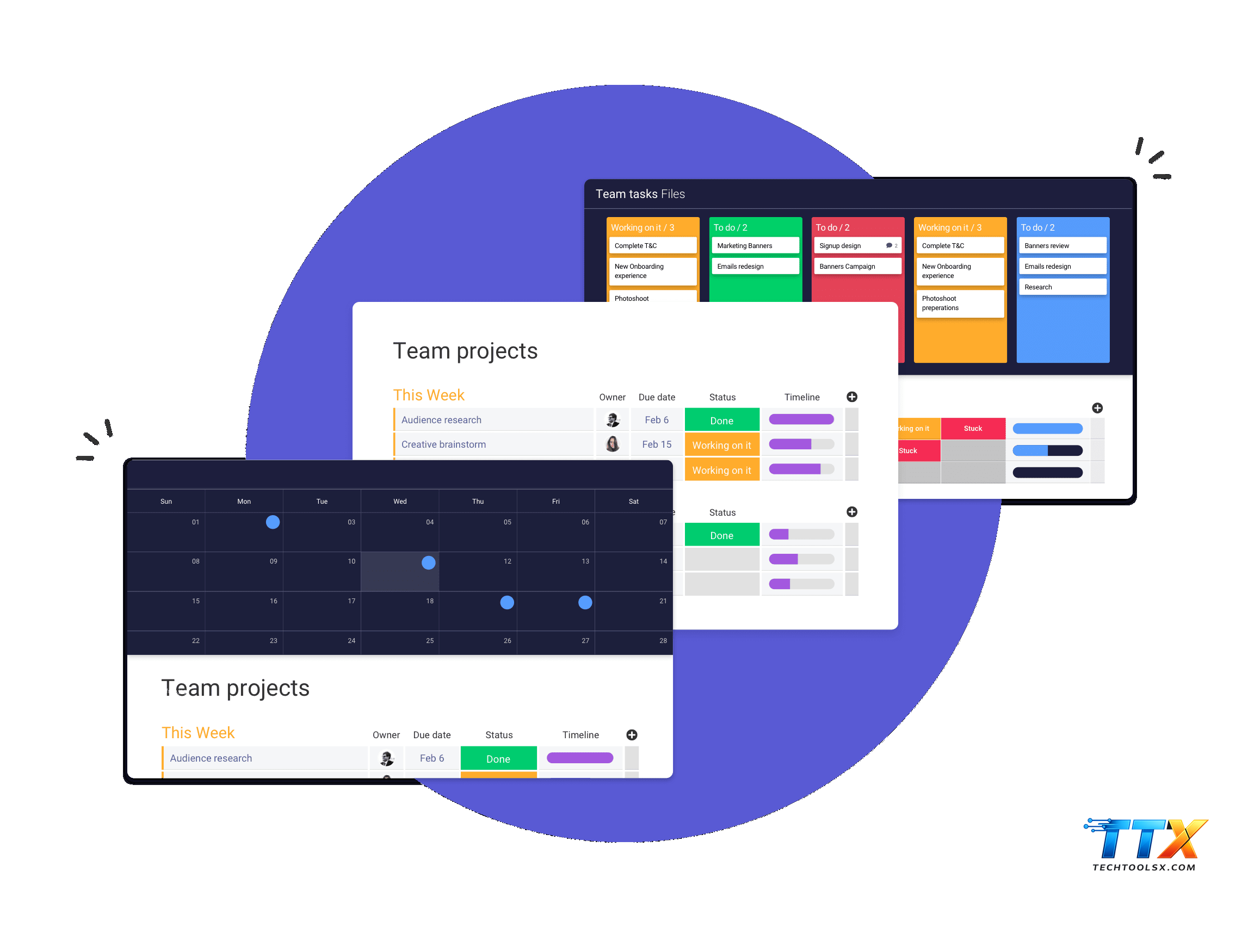
For the experienced user, Monday com automation offers advanced capabilities that can handle complex logic and multi-step processes. Custom triggers allow you to define very specific scenarios that go beyond the basic recipes. For instance, you can create a trigger based on a formula column reaching a certain value. This is particularly useful for financial tracking, where an automation could alert the finance department when a project's actual costs exceed the budgeted amount by a certain percentage.
One of the most impressive advanced features is the ability to use dynamic mapping in your automations. This means that when an automation creates an item on a different board, it can automatically pull information from the original item and place it in the corresponding columns of the new board. This ensures data consistency across your entire workspace. Techtoolsx recommends using dynamic mapping for complex project management where information needs to flow from a high-level master board down to specific departmental boards.
Advanced Automation Capabilities Include:
The use of these advanced features is particularly beneficial for medium to large enterprises in Germany, France, and the Netherlands, where complex organizational structures require sophisticated management tools. By implementing these high-level automations, companies can maintain a lean management structure while handling a high volume of projects. Techtoolsx provides the expertise needed to design and implement these complex workflows, ensuring that they align with the strategic goals of the business.
Furthermore, the Monday.com marketplace offers additional apps that extend the automation capabilities even further. These apps can introduce advanced mathematical functions, sophisticated reporting tools, and deeper integrations with niche software. For the tech-savvy professional earning over fifty million VNĐ monthly, exploring these third-party enhancements can provide a significant return on investment. Techtoolsx stays at the forefront of these developments, regularly reviewing new marketplace apps to help you choose the most effective tools for your needs.
Navigating the vast world of digital productivity tools can be a daunting task, especially with the rapid emergence of new AI technologies. This is where Techtoolsx becomes an invaluable resource for professionals and business owners. Our mission is to simplify the process of tool selection and implementation, ensuring that you find the perfect balance between power and ease of use. We focus on providing high-quality, actionable advice that helps you overcome the common hurdles of digital transformation.
At Techtoolsx, we understand that your time is your most precious asset. Whether you are a freelance designer in Brazil or a startup founder in Sweden, you need tools that work reliably and efficiently. We meticulously test every software we recommend, including Monday com automation features, to ensure they meet our rigorous standards for performance and value. Our community benefits from detailed guides, honest reviews, and exclusive insights that are not available elsewhere.
Key Advantages of Partnering with Techtoolsx:
For those who are overwhelmed by the sheer number of options available, Techtoolsx offers a clear path forward. We help you identify the specific pain points in your current workflow and recommend the exact automations and integrations that will solve them. This personalized approach ensures that you are not just buying another piece of software, but investing in a solution that will actually improve your bottom line. Our commitment to your success is what drives us to provide the most comprehensive resources on the web.
If you are ready to take your productivity to the next level, we invite you to connect with us. Visit our website at https://techtoolsx.com/ to explore our latest articles and tutorials. You can also join our growing community on Facebook at https://www.facebook.com/profile.php?id=61566017947901 to stay updated on the newest tools and strategies. Techtoolsx is here to empower you with the knowledge and tools you need to thrive in the modern digital economy.
Choosing the right plan is essential for maximizing the benefits of Monday com automation while staying within your budget. Monday.com offers a variety of pricing tiers, each with different levels of access to automation and integration features. It is important to evaluate your team's needs and the expected volume of automated actions when selecting a plan. Techtoolsx recommends the Pro plan for most small to medium businesses due to its generous automation limits and advanced features.
Table 3: Monday.com Pricing And Automation Limits (Current as of early 2025)
| Plan Tier | Price (Per User/Month) | Automation Actions (Monthly) | Integration Actions (Monthly) | Best For |
|---|---|---|---|---|
| Basic | $9 – $12 | Not Included | Not Included | Very Small Teams |
| Standard | $12 – $15 | 250 Actions | 250 Actions | Growing Teams |
| Pro | $19 – $24 | 25,000 Actions | 25,000 Actions | Professional Scaling |
| Enterprise | Custom Pricing | 250,000+ Actions | 250,000+ Actions | Large Corporations |
Note: Prices are approximate and may vary based on billing cycles and regional currency adjustments.
The Standard plan is a great starting point for teams just beginning their automation journey. It allows for basic notifications and status changes, which can provide immediate relief from administrative tasks. However, for those who require more complex logic and a higher volume of actions, the Pro plan is much more cost-effective in the long run. The jump from 250 to 25,000 actions is significant and provides the freedom to automate almost every aspect of your project management.
For enterprise-level organizations, the custom pricing plan offers the highest level of security, governance, and support. This tier is designed for companies with thousands of employees who need to manage massive amounts of data across multiple departments. Enterprise plans also include advanced security features like Single Sign-On (SSO) and audit logs, which are essential for compliance in industries like finance and healthcare. Techtoolsx can help you evaluate your requirements to determine if an Enterprise solution is the right fit for your organization.
It is also worth noting that Monday.com often offers a free trial for their premium plans. This is an excellent opportunity to test out the advanced automation features before making a financial commitment. During your trial, try to implement at least three different automation recipes to see how they impact your daily routine. Techtoolsx encourages users to take advantage of these trials to ensure the platform truly meets their expectations and provides a clear return on investment.
The impact of Monday com automation is best understood through real-world examples of businesses that have transformed their operations. One notable case study involves a global marketing agency that managed over two hundred active campaigns simultaneously. Before implementing automation, their account managers spent approximately forty percent of their time on manual data entry and status reporting. After working with a system similar to those recommended by Techtoolsx, they automated their client reporting and internal task assignments.
The results for the agency were profound:
Another success story comes from a software startup that used Monday.com custom automations to manage their development sprints. By integrating their code repository with Monday.com, they automated the movement of tasks through their pipeline. When a developer pushed code to the testing environment, the task automatically moved to the Quality Assurance stage, and the QA team was notified. This streamlined process allowed them to release updates thirty percent faster than their competitors.
These case studies illustrate that Monday.com is not just a tool for organization, but a platform for business growth. For the modern professional, these efficiency gains are the difference between staying stagnant and achieving significant career milestones. Techtoolsx prides itself on helping users achieve these kinds of results by providing the most effective and easy-to-use digital tools available today. Whether you are working solo or leading a large team, the principles of automation remain the same: reduce manual labor to maximize creative output.
In the creative industry, a boutique design firm used Monday.com to automate their client onboarding process. As soon as a client paid their initial deposit through an integrated payment gateway, Monday.com automatically created a new project board, uploaded the standard contract, and sent a welcome email with a link to a creative brief. This professional and efficient start to the relationship set a high standard for the client experience and led to a fifty percent increase in referral business.
Embarking on the journey of implementing Monday com automation is one of the smartest moves you can make for your professional development and business success. By starting with the basic recipes and gradually moving toward custom and advanced workflows, you can build a system that grows with your needs. Remember that the goal of automation is not to replace human intelligence, but to empower it by removing the burden of mundane tasks.
As you move forward, keep the following tips in mind:
The future of work is automated, and those who embrace these technologies now will be the leaders of tomorrow. With tools like Monday.com and the guidance of Techtoolsx, you have everything you need to build a highly efficient, profitable, and enjoyable business. Take the first step today by signing up for a trial and exploring the incredible possibilities of workflow automation. Your future self will thank you for the time and energy you save today.
For any questions or personalized advice on choosing the right AI tools for your specific situation, do not hesitate to reach out to us. We are passionate about helping you succeed and are always happy to share our expertise. Explore more at https://techtoolsx.com/ and join our community on Facebook. Together, we can transform the way you work and help you achieve your most ambitious goals.
Professional success in the twenty-first century is largely defined by one's ability to manage information and time. Monday com automation serves as a powerful ally in this endeavor, providing a structure that supports high-level performance. For the demographic we serve at Techtoolsx—dynamic individuals between twenty-five and forty-five who are leading the way in marketing, technology, and entrepreneurship—this technology is not optional. It is the foundation upon which scalable and resilient businesses are built.
The transition to an automated workflow also opens up new opportunities for personal growth. When you are no longer tethered to your inbox or constantly updating spreadsheets, you have the mental space to learn new skills, explore new markets, and spend more time with your family. This balance is a key component of long-term success and is something we strongly advocate for at Techtoolsx. We believe that technology should serve people, not the other other way around.
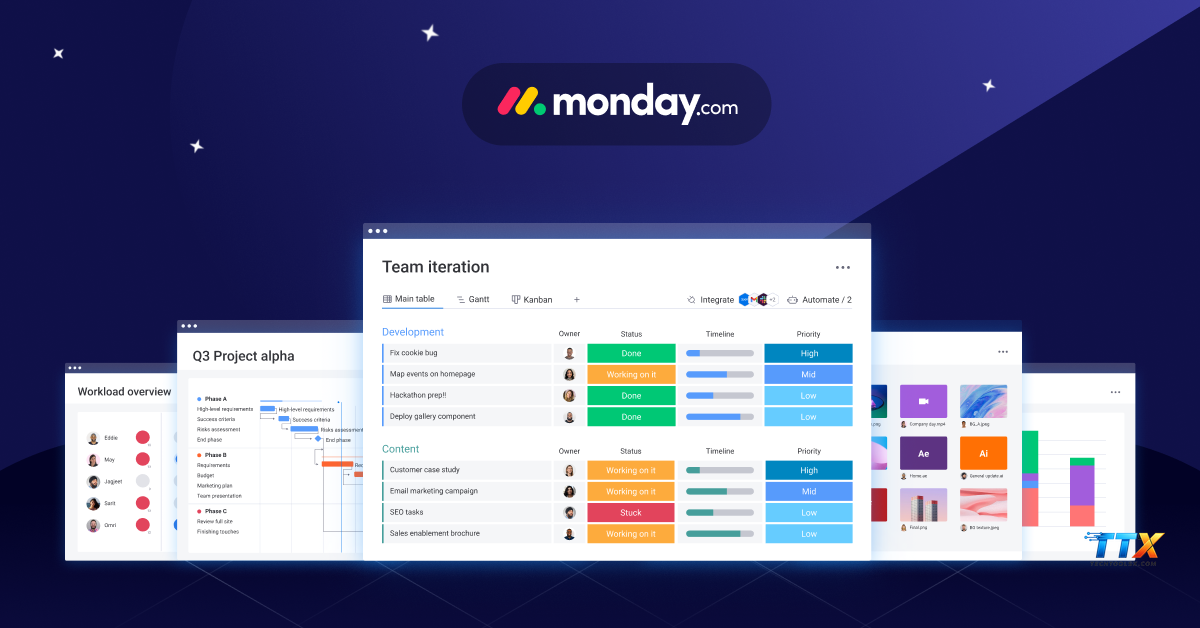
Consider the impact of a well-implemented automation system on your daily life. Imagine waking up to find that your leads have been qualified, your team has their daily tasks assigned, and your project reports are already generated. This is the reality for those who master Monday.com. It allows for a level of peace of mind that is rare in the fast-paced digital world. By choosing to invest in these tools now, you are securing your place at the forefront of your industry.
Monday com automation is a transformative technology that offers a wide range of benefits for teams and individuals alike. From improving accuracy and efficiency to reducing stress and increasing profitability, the advantages are clear. By following the guides and strategies provided by Techtoolsx, you can implement these tools with confidence and start seeing results almost immediately. The digital economy rewards those who are proactive and tech-savvy, and there is no better time to start than now.
To get started on your path to peak productivity, follow these steps:
We at Techtoolsx are committed to your success and are here to support you every step of the way. Our resources are designed to help you navigate the complex world of AI tools and find the solutions that work best for you. Whether you are looking to save time, increase your income, or simply make your workday more enjoyable, we have the expertise to help you get there. Thank you for choosing Techtoolsx as your partner in digital excellence.
Visit us today at https://techtoolsx.com/ and let us help you unlock your full potential through the power of intelligent automation. We look forward to seeing the amazing things you will achieve with the right tools and a strategic mindset. Your journey to a more productive and fulfilling professional life starts right here. Reach out through our Facebook profile at https://www.facebook.com/profile.php?id=61566017947901 if you have any questions or need further guidance. Together, we can build a future where work is more efficient, creative, and rewarding for everyone.
As you begin to implement these systems, you may have questions about the technical details or best practices. Here are some of the most common inquiries we receive at Techtoolsx regarding Monday com automation.
How do I track how many automation actions I have used?
You can easily monitor your automation usage by going to the account avatar at the bottom left of your Monday.com screen, selecting Administration, and then clicking on the Billing tab. There you will see a detailed breakdown of your monthly action usage for both automations and integrations. Techtoolsx suggests checking this weekly as you build new workflows to ensure you stay within your plan's limits.
Can I use Monday com automation to send emails to people outside my organization?
Yes, you can. By using the Gmail or Outlook integrations in conjunction with Monday.com automations, you can trigger emails to be sent to clients or partners based on board events. This is a highly effective way to keep external stakeholders informed without manual effort. Just ensure you have the appropriate permissions and that your email templates are professional and clear.
What happens if an automation fails?
Monday.com provides an automation log that allows you to see the history of every automation that has run. If an action fails, the log will often provide a reason, such as a missing value in a required column. Techtoolsx recommends checking these logs if you notice that a workflow is not behaving as expected. Regular maintenance of your boards helps prevent these issues before they occur.
Are my automations secure?
Monday.com takes security very seriously and complies with major international standards like GDPR and SOC2. Your automations and the data they process are protected by enterprise-grade security protocols. For those in highly regulated industries, the Enterprise plan offers additional layers of security and administrative control. Techtoolsx only recommends tools that meet high standards for data protection and privacy.
Can I share my custom automation recipes with other boards?
Yes, once you create a custom automation, it is specific to that board. However, you can save your boards as templates, which will include all the automations you have built. This is a great way to standardize your processes across different teams or projects. Techtoolsx advocates for this templated approach as it ensures consistency and saves significant time when starting new initiatives.
To help you better understand the landscape of Monday com automation, here is a quick reference for some of the technical terms used in this guide. Techtoolsx believes that a clear understanding of the terminology is essential for mastering any new technology.
By familiarizing yourself with these terms and the concepts discussed in this article, you are well on your way to becoming an expert in workflow optimization. Techtoolsx is proud to be part of your professional journey and looks forward to providing you with the tools and insights you need to excel. Remember to visit https://techtoolsx.com/ for more in-depth reviews and guides on the latest AI and productivity software.
The world of work is changing rapidly, and those who can effectively leverage technology will always have a significant advantage. Monday com automation is a prime example of how digital tools can enhance our human capabilities and allow us to achieve more than ever before. We hope this comprehensive guide has provided you with the knowledge and inspiration to take control of your workflows and drive your business forward.
Techtoolsx is more than just a review site; we are a community of innovators and achievers who believe in the power of technology to improve lives. We are constantly searching for the next breakthrough in AI and productivity to share with you. Stay curious, stay motivated, and continue to look for ways to optimize your professional life. The possibilities are truly endless when you have the right tools and the right partner by your side.
Thank you for your time and attention. We wish you the very best in all your future endeavors. Please stay in touch via our website and social media channels. Your success is our success, and we are honored to be a part of it. Reach out to us at https://techtoolsx.com/ or find us on Facebook to continue the conversation. Let us build a more efficient and prosperous future together through the incredible power of Monday com automation and the strategic insights of Techtoolsx.




