


Monday com jira integration bridges the gap between high-level project management and detailed software development tracking to create a seamless digital ecosystem. Techtoolsx.com provides the ultimate roadmap to mastering these sophisticated project management tools and streamlining cross-departmental collaboration. By leveraging a unified workspace, organizations can synchronize task management, boost operational transparency, and accelerate product delivery cycles through robust cloud-based infrastructure. Implementing this strategic alignment allows teams to harmonize their technical roadmaps with business objectives effortlessly.
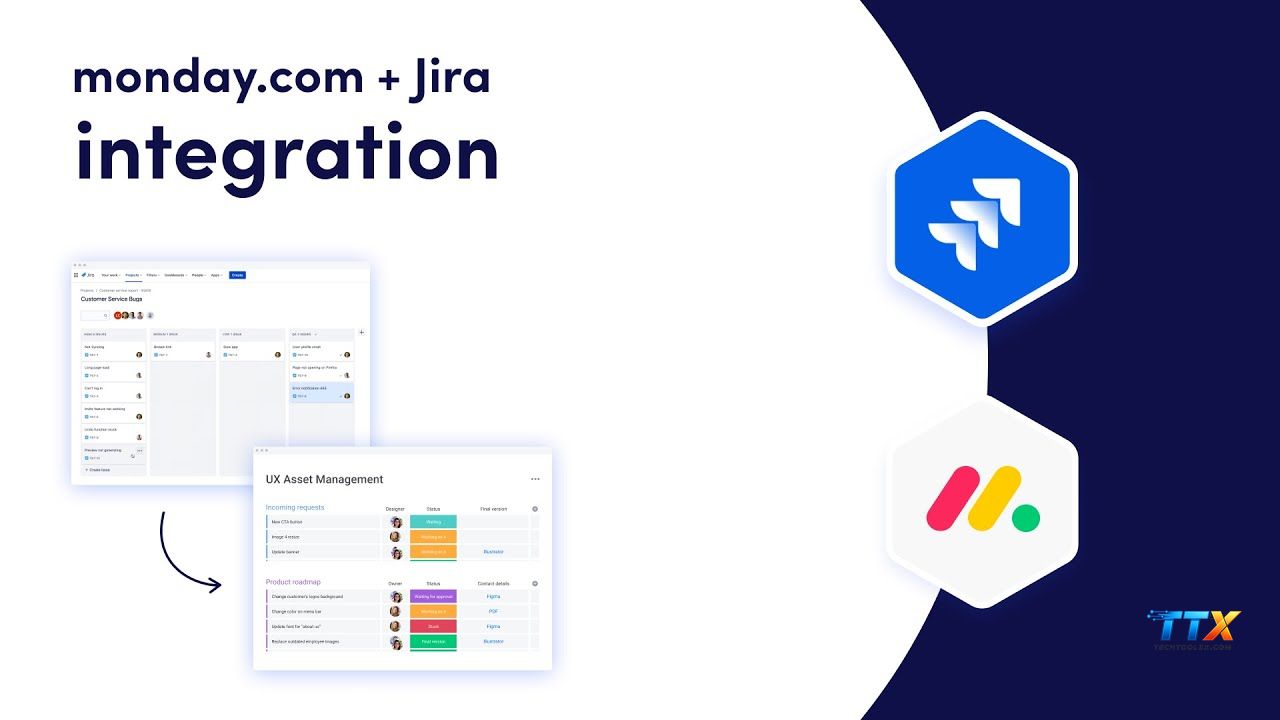
The modern corporate landscape demands a level of agility that separate platforms often fail to provide on their own. When we look at the core strengths of these two industry leaders, we see a natural synergy that benefits diverse professional roles from creative marketers to software engineers. Monday.com excels as a visual work operating system that provides high-level visibility for executives and project managers who need to track progress across various departments. On the other hand, Jira remains the gold standard for agile development teams who require deep technical tracking, sprint planning, and bug reporting capabilities. By opting to integrate Monday.com with Jira, a bridge is built between the creative and technical sides of a business, ensuring that no data is lost in transition.
Research from McKinsey indicates that high-performing teams spend nearly 20 percent of their time searching for internal information or tracking down colleagues for status updates. A Jira Monday.com sync eliminates this wasted effort by providing a single source of truth where data flows bi-directionally. This means a marketing manager in Monday.com can see the live status of a feature request being handled by a developer in Jira without ever leaving their preferred interface. Techtoolsx recognizes that time is the most valuable asset for any entrepreneur or freelancer, and this connection is the key to reclaiming those lost hours.
The integration serves as a powerful catalyst for transparency. For many small business owners and startup founders, the black box of technical development can be a source of frustration. When you connect Monday and Jira, that box becomes transparent. You gain the ability to visualize development velocity directly on your executive dashboards. This data-driven approach is essential for modern decision-making, allowing leaders to allocate resources more effectively based on real-time capacity and progress. The psychological benefit for the team is equally significant, as it reduces the friction caused by constant status meetings and repetitive manual updates.
For the modern professional earning a high income through digital channels, the ability to automate mundane tasks is a competitive necessity. Using a Monday.com Jira connector allows for the automation of status changes, comment syncing, and priority updates. This level of technical sophistication is what separates successful solopreneurs and agencies from those who struggle with administrative overhead. Techtoolsx.com is dedicated to helping you navigate these complex setups to ensure your business operates at peak efficiency. The shift towards a more integrated digital environment is not just a trend but a fundamental change in how work is accomplished in the AI era.
| Feature Benefit | Monday.com Value | Jira Software Value | Combined Synergy |
|---|---|---|---|
| Visibility | High-level dashboards | Detailed issue tracking | Full-funnel transparency |
| Flexibility | No-code customization | Agile framework mastery | Scalable workflows |
| Collaboration | Creative team focus | Engineering team focus | Cross-functional harmony |
| Automation | Simple trigger-actions | Complex dev-ops logic | End-to-end task flow |
Establishing a robust link between your platforms requires a methodical approach to ensure data integrity and security. To begin the process of connecting Monday and Jira, you must first ensure you have administrative permissions on both platforms. This technical requirement is the foundation of a successful link, as it allows the API to communicate across the different server environments. Within your Monday.com workspace, navigate to the integration center which is represented by a plug icon at the top of your board. Searching for Jira in the app marketplace will reveal the native connector which is the most reliable method for standard synchronization.
Once you select the Jira app, you will be prompted to authenticate your account. This step involves entering your Jira site URL and your Atlassian API token. For those concerned with security, Atlassian provides a secure method to generate these tokens within your account settings under the security tab. After the accounts are linked, the next step is to choose a specific recipe that fits your business logic. For instance, a common recipe is: When an issue is created in Jira, create an item in Monday.com and keep them in sync. This specific automation ensures that as your developers log new bugs or tasks, the project management board is instantly updated.
Mapping fields is perhaps the most critical part of the setup. You must decide which Jira fields, such as summary, description, priority, and status, correspond to your Monday.com columns. Techtoolsx recommends creating a dedicated status column in Monday.com that mirrors your Jira workflow stages, such as To Do, In Progress, and Done. This alignment ensures that anyone viewing the Monday board has an accurate representation of the technical progress. It is also possible to map custom fields, which is particularly useful for agencies tracking billable hours or specific client requirements across both tools.
After the initial mapping is complete, it is vital to test the integration with a sample task. Create a dummy issue in Jira and watch as it populates in Monday.com. Check if the comments sync correctly and if the status changes move the item across your board. If you find that fields are not updating, verify your mapping settings and ensure that the user who generated the API token has access to the specific Jira project you are trying to sync. Following this detailed guide ensures a smooth transition and prevents the common errors that many users encounter when rushing the setup.
The true power of this ecosystem lies in the ability to create complex, multi-step automations that go beyond simple data mirroring. Monday.com to Jira workflow automation can be customized to trigger based on specific conditions that reflect your unique business processes. For example, you can set a rule where only items marked as High Priority on a Monday board are pushed to the Jira development backlog. This acts as a filter, preventing the technical team from being overwhelmed with low-priority requests that have not yet been vetted by the product management team.
Another sophisticated approach involves the use of two-way synchronization for comments and file attachments. In a Jira and Monday.com two-way sync, communication becomes centralized. When a developer asks a clarifying question in a Jira ticket, that comment can automatically appear in the Monday.com update section for the account manager to see. This immediate feedback loop reduces the reliance on internal emails and Slack messages, keeping all context tied directly to the task at hand. Techtoolsx provides insights into how these automations can be scaled across multiple departments to create a truly interconnected enterprise.
Advanced users can also leverage conditional logic to manage complex project hierarchies. You might configure an automation where completing a specific set of tasks in Jira triggers the completion of a milestone in Monday.com. This hierarchical tracking is essential for large-scale operations where executive oversight is required without getting bogged down in the minutiae of daily tickets. By using these advanced recipes, you are essentially building a custom software solution that fits your business perfectly without writing a single line of code.
| Automation Recipe | Trigger Event | Action Result | Business Impact |
|---|---|---|---|
| Priority Sync | Monday Priority Change | Update Jira Priority | Accurate resource allocation |
| Status Mirror | Jira Status Update | Move Monday Item | Real-time progress visibility |
| Comment Bridge | New Jira Comment | New Monday Update | Seamless communication |
| Attachment Push | Monday File Upload | Jira Issue Attachment | Centralized documentation |
| New Project Link | New Monday Board | New Jira Project | Rapid project onboarding |
The advantages of a well-executed integration extend far beyond mere data entry reduction. For the professional target audience of Techtoolsx, including digital marketers and startup founders, the primary benefit is the significant increase in operational velocity. When syncing Monday boards with Jira projects, the time to market for new features or marketing campaigns is drastically reduced. This is because the friction of cross-departmental communication is minimized. Instead of waiting for weekly sync meetings, teams can operate in a state of continuous delivery, where information flows as fast as the work is completed.
From a management perspective, the integration provides unparalleled data for performance analytics. You can track how long a task remains in the dev queue compared to its time in the planning stage. This level of granular detail allows for the identification of bottlenecks that were previously invisible. For freelancers and agencies, this data is invaluable for providing clients with accurate timelines and justifying project costs. Being able to show a client a live dashboard that reflects real-time development progress builds a high level of trust and professional authority.
Furthermore, the integration supports a healthier work-life balance for team members by reducing the cognitive load of switching between multiple applications. Research in the field of human-computer interaction suggests that context switching can reduce productivity by up to 40 percent. By allowing everyone to work in the tool they find most comfortable while still being connected to the wider team, you promote a more focused and productive work environment. Techtoolsx emphasizes that the right tools should empower your team, not create more work for them, and this integration is a prime example of technology serving the human element of business.
The financial ROI of such an integration is also compelling. By reducing the manual labor required for reporting and data entry, companies can reallocate those labor hours toward revenue-generating activities. For a business with 20 employees, saving just two hours per week per person through automation results in 40 hours of regained productivity every single week. This is equivalent to adding a full-time staff member without the associated overhead costs. When you visit https://techtoolsx.com/, you can find more strategies to maximize these types of technological investments for your specific business model.
Despite the user-friendly nature of modern SaaS tools, technical challenges can occasionally arise during the integration process. Troubleshooting common integration errors is a skill that every project lead should possess. One of the most frequent issues is the failure of items to sync due to permission mismatches. If the person who initially set up the integration leaves the company or has their access revoked, the entire link can break. It is best practice to use a generic service account with administrative privileges to manage these connections to ensure long-term stability.
Another common hurdle involves field mapping conflicts, particularly with mandatory fields. Jira often requires certain fields like Reporter or Issue Type to be filled before a ticket can be created. If your Monday.com board does not have a corresponding field or if the data format does not match, the integration will fail to create the item. To resolve this, ensure that all required fields in Jira are mapped to either a static value or a dynamic column in Monday.com. Techtoolsx recommends keeping your board structures as simple as possible to minimize the chances of these mapping errors.
Rate limiting is a more technical issue that can affect larger organizations with high volumes of data movement. Both Monday.com and Atlassian impose limits on how many API calls can be made within a certain timeframe. If you are syncing thousands of items simultaneously, you might experience delays or temporary outages. Monitoring your integration logs within the Monday.com administration panel can help identify if you are hitting these limits. In such cases, optimizing your automation recipes to only trigger on essential changes can help stay within the allowed API quotas.
Lastly, duplicate items can sometimes appear if the sync logic is not configured correctly for two-way communication. This often happens when both systems are set to create new items based on the other's activity without a unique identifier to link them. To prevent this, always use the built-in ID mapping features provided by the Monday.com Jira app integration. If you find yourself overwhelmed by these technical nuances, the experts at Techtoolsx are available to guide you through the process, ensuring your systems are optimized for performance and reliability.
Managing a team that spans across different technical proficiencies requires a strategic approach to communication and tool usage. The primary best practice is to define clear ownership of each platform. While the Monday com jira integration allows for data sharing, the product managers should generally own the Monday.com boards, while the engineering leads should remain the primary owners of the Jira projects. This clear division of responsibility ensures that the tools remain organized and that the integration serves as a bridge rather than a source of confusion.
Regularly auditing your automation recipes is another essential practice. As your business grows and your workflows evolve, the automations you set up six months ago might no longer be efficient. Techtoolsx suggests a quarterly review of all active integrations to ensure they still align with your current operational goals. This is also an excellent time to look for new features released by either Monday.com or Atlassian, as both companies frequently update their integration capabilities to include more fields and trigger options.
Training and documentation are often overlooked but are vital for long-term success. Every team member should understand how the integration works and how their actions in one tool affect the other. Creating a simple internal guide or a short video walkthrough can prevent many of the manual errors that lead to data discrepancies. At https://techtoolsx.com/, we provide resources and templates to help you document these processes effectively, ensuring that new hires can get up to speed quickly without disrupting the established workflows.
Finally, foster a culture of feedback regarding the tools. Ask your developers if the information coming from Monday.com is helpful or if it is creating noise in their Jira backlog. Similarly, check with the marketing team to see if they are getting the level of detail they need to report on progress to stakeholders. This feedback loop allows you to fine-tune the Monday.com Jira app integration to provide maximum value to everyone involved. A tool is only as good as the people using it, and Techtoolsx is here to help you optimize both the technology and the human strategy behind it.
When deciding how to bridge Monday.com and Jira, you have several options ranging from native integrations to third-party middleware. The native Monday.com Jira app integration is often the best choice for most users because it is included in the subscription price and is officially supported by the Monday.com team. It offers a balance of simplicity and functionality that meets the needs of about 90 percent of business use cases. For those who require more complex logic, such as multi-platform syncing involving three or more tools, middleware like Zapier or Make.com might be necessary.
Pricing is a significant factor for freelancers and small businesses. Monday.com offers various tiers, but the integration features are typically found in the Standard, Pro, and Enterprise plans. Jira likewise has a free tier for small teams, but for robust integration capabilities and advanced security, the Standard or Premium plans are usually required. Techtoolsx emphasizes the importance of calculating the total cost of ownership, which includes the subscription fees of both platforms plus any third-party connectors you might choose to use.
| Integration Method | Best For | Cost Factor | Ease of Setup |
|---|---|---|---|
| Native Connector | Standard business use | Included in plan | Very Easy |
| Zapier / Make | Multi-tool workflows | Extra monthly fee | Moderate |
| Unito | Deep 2-way sync | Per-user pricing | Moderate |
| Custom API | Unique Enterprise needs | High dev cost | Difficult |
| Manual Sync | Very small projects | Free | Time Consuming |
Choosing the right method depends on your specific volume of work and the complexity of your data. For a startup looking to scale quickly, starting with the native connector is the most cost-effective and efficient path. As the organization grows into a multi-national enterprise, moving towards a custom API or a specialized synchronization tool like Unito might provide the extra layer of control needed. Techtoolsx can help you evaluate these options based on your current budget and future growth projections, ensuring you make a sustainable investment.
The integration of AI into project management tools is rapidly changing the landscape of how we work. In the coming years, we can expect the Monday com jira integration to become even more intelligent. AI models will likely be able to predict project delays by analyzing the historical data flowing between Jira and Monday.com. For example, if an AI detects that bug fixes in Jira are taking longer than usual, it can automatically adjust the project timelines on the Monday.com board and alert the project manager. This proactive approach to risk management will be a game-changer for high-stakes projects.
Natural language processing will also make it easier to set up these integrations. Instead of manual field mapping, you might soon be able to simply tell the system to sync my development progress with my marketing board, and the AI will handle the technical configuration. This democratization of technology aligns perfectly with the mission of Techtoolsx.com, which is to make powerful tools accessible to everyone regardless of their technical background. The goal is to reduce the barrier to entry so that any solopreneur can run their business with the same level of sophistication as a Fortune 500 company.
We are also seeing a trend toward more immersive data visualizations. Future integrations may allow for virtual reality or augmented reality project rooms where the data from Jira and Monday.com is displayed in a 3D environment for collaborative brainstorming sessions. While this may seem futuristic, the underlying data structures are being built today through these very integrations. By getting comfortable with these tools now, you are positioning yourself and your business at the forefront of the digital revolution.
As we look toward the future, the emphasis will remain on creating a frictionless experience for the end-user. The most successful professionals will be those who can leverage these integrated AI systems to amplify their own creativity and strategic thinking. Techtoolsx is committed to being your partner in this journey, providing the insights and tools you need to thrive in an increasingly automated world. Stay connected with us through our official channels and our website to stay updated on the latest advancements in AI and project management technology.

Consider a mid-sized digital marketing agency that struggled with the disconnect between their creative team and their web development department. The creative team used Monday.com to manage client campaigns, while the developers lived in Jira. This silos led to missed deadlines and client dissatisfaction. By implementing a full Monday.com Jira sync, the agency was able to transform their operations. They created a workflow where every client request entered into Monday.com was automatically vetted and, if technical work was required, pushed directly into the Jira backlog for the development lead to review.
The results were immediate and measurable. The agency saw a 30 percent reduction in time spent on internal status meetings within the first three months. More importantly, client satisfaction scores improved because the account managers had real-time data to share regarding the progress of technical tasks. This transparency allowed them to manage client expectations more effectively and build long-term trust. The agency also used the integrated data to identify that their development team was consistently over-capacity, leading to the strategic decision to hire more staff based on hard data rather than gut feeling.
This case study illustrates the transformative power of a well-executed integration. It is not just about moving data from one place to another; it is about changing the way people work together. Techtoolsx has seen similar success stories across various industries, from finance to healthcare, proving that the principles of integrated project management are universal. Whether you are a solo freelancer or a leader of a large team, the ability to connect your tools and your people is the most significant competitive advantage you can develop.
For those interested in achieving similar results, the first step is to visit https://techtoolsx.com/ and explore our comprehensive guides. We offer tailored advice for different business sizes and industries, ensuring you get the most out of your software stack. Our team is dedicated to helping you overcome the hurdles of digital transformation and helping you build a business that is both efficient and scalable. The success of our clients is the primary metric by which we measure our own success, and we invite you to join our community of forward-thinking professionals.
For the individual professional, the Monday com jira integration is a powerful tool for managing multiple clients and complex projects without the need for a large support staff. As a freelancer, your time is your currency. By automating the administrative tasks associated with project tracking, you can focus your energy on the high-value work that your clients pay for. Using a tool like Monday.com as your primary interface allows you to maintain a professional and organized front for your clients, while Jira keeps your technical work structured and disciplined.
Solopreneurs can use the integration to build a virtual team environment even if they work alone. By setting up automated alerts and reports, you can stay on top of every aspect of your business without feeling overwhelmed. This level of organization is essential for maintaining a high income and avoiding the burnout that often plagues the self-employed. Techtoolsx is particularly focused on supporting this segment of the workforce, as we believe that AI and integration tools are the ultimate equalizers in the modern economy.
To maximize your personal productivity, Techtoolsx recommends setting up a personal dashboard in Monday.com that pulls in your most critical tasks from Jira across all your projects. This gives you a clear daily roadmap and helps you prioritize your work based on deadlines and project value. You can also use the integration to track your billable hours more accurately, ensuring that you are fairly compensated for all the technical work you perform. The goal is to work smarter, not harder, and these tools are the key to achieving that balance.
If you are ready to take your productivity to the next level, we encourage you to reach out to us for a consultation. Our team can help you design a custom workflow that fits your specific needs and goals. You can also follow us on social media at https://www.facebook.com/profile.php?id=61566017947901 to get daily tips and tricks on how to use AI tools more effectively. At Techtoolsx, we are passionate about helping you succeed and we are honored to be a part of your professional growth journey.
To achieve a true two-way sync where changes in either platform are reflected in the other, you must set up multiple automation recipes that complement each other. The first recipe should handle the flow from Monday.com to Jira, and the second should handle the flow from Jira back to Monday.com. This circular logic ensures that no matter where a team member makes an update, the entire system stays current. It is important to carefully select which status changes trigger these updates to avoid creating an infinite loop of notifications.
In the Monday.com integration center, select the recipe that says: When a status changes to something, change status in Jira. For the reverse sync, go into Jira and use the Monday.com app settings to configure the webhook that will send data back to your Monday board. This requires a bit more technical setup but is well worth the effort for the level of synchronization it provides. Techtoolsx recommends using specific tags or labels to identify which items are currently being synced, which helps in filtering your views and troubleshooting any issues that might arise.
Another technical detail to consider is the handling of custom dropdown menus. If you have a dropdown in Monday.com for Priority with values like High, Medium, and Low, these must exactly match the labels in your Jira Priority field. If Jira uses P1, P2, and P3, the integration might not be able to map them automatically. In this case, you will need to create a mapping table within the integration settings to tell the system that High equals P1, and so on. This level of attention to detail is what ensures a professional and reliable integration.
For teams working with large volumes of data, consider setting up a staging area in Monday.com. This is a specific group or board where new items from Jira arrive for review before being moved into the main project flow. This prevents your primary boards from becoming cluttered with every minor technical sub-task that might not be relevant to the broader project management goals. Techtoolsx provides many such tactical tips to help you maintain a clean and efficient digital workspace that supports your business objectives.
In an era of increasing data breaches and strict privacy regulations like GDPR and CCPA, security must be a top priority when connecting third-party tools. Both Monday.com and Atlassian have robust security frameworks, but the way you configure the integration can introduce vulnerabilities if not handled correctly. Techtoolsx advises always using the principle of least privilege. This means the API token or service account used for the integration should only have access to the specific boards and projects that are necessary for the sync, rather than full administrative access to the entire organization.
Regularly rotating your API tokens is another essential security practice. Most experts recommend changing these tokens every 90 days to minimize the risk of unauthorized access if a token is accidentally exposed. You should also monitor the integration logs for any unusual activity, such as a high volume of data deletions or unexpected configuration changes. Both Monday.com and Jira provide detailed audit logs that can help you track who did what and when within the integrated environment.
If your business handles sensitive client data, ensure that you are not syncing personally identifiable information (PII) unless it is absolutely necessary and encrypted. You can often achieve the same project management goals by syncing anonymized IDs or project codes instead of full names or contact details. Techtoolsx can help you conduct a security audit of your integration setup to ensure that you are following best practices and meeting all relevant compliance standards. Protecting your data is not just about technology; it is about protecting your reputation and your business.
Visit https://techtoolsx.com/ for more information on our commitment to security and how we help our clients build safe and resilient digital ecosystems. We believe that technology should be a source of strength, not a liability, and we are dedicated to providing the most secure and reliable advice in the industry. Your trust is our most valuable asset, and we work tirelessly to earn it every day through the quality of our content and the integrity of our recommendations.
The Monday com jira integration represents more than just a technical connection; it is a strategic move toward a more unified and efficient way of working. By breaking down the silos between creative and technical teams, organizations can unlock new levels of productivity and innovation. For the ambitious professionals and business owners who make up the Techtoolsx community, mastering these tools is an essential step in staying ahead of the curve in a rapidly changing market. We have explored the benefits, the technical setup, the advanced automations, and the future trends that make this integration a must-have for any modern enterprise.
Now is the time to take action. Whether you are looking to streamline your internal workflows, provide better service to your clients, or simply reclaim your time, the tools are at your fingertips. We invite you to explore the resources available at https://techtoolsx.com/ and to join our growing community on Facebook. Our team is here to support you every step of the way, from your first integration to your most complex AI-driven workflows. Let us work together to build a more productive and prosperous future through the power of smart technology.
Don't let the complexity of modern tools hold you back. With the right guidance and a strategic approach, you can turn your technology stack into your greatest competitive advantage. Click the link to start your journey with Monday.com and Jira today and see the difference that a truly integrated workspace can make. We look forward to helping you achieve your goals and celebrating your success as you master the art of digital project management. Thank you for choosing Techtoolsx as your trusted source for all things AI and technology.
| Action Item | Recommended Tool / Resource | Desired Outcome |
|---|---|---|
| Set Up Sync | Monday.com Jira App | Unified team data |
| Learn More | Techtoolsx.com Guides | Expertise and mastery |
| Join Community | Techtoolsx Facebook Page | Networking and support |
| Get Expert Help | Techtoolsx Consultation | Optimized custom workflows |
| Stay Updated | Techtoolsx Newsletter | Future-proofed business |
The journey toward operational excellence is an ongoing process, but with the Monday com jira integration as your foundation, you are well-equipped to handle whatever challenges come your way. We are excited to see what you will build and how you will use these tools to create something truly extraordinary. Remember that the best tool is the one that you use effectively, and Techtoolsx is here to ensure that you have the knowledge and the confidence to do just that. Let's start building the future of work together.




