

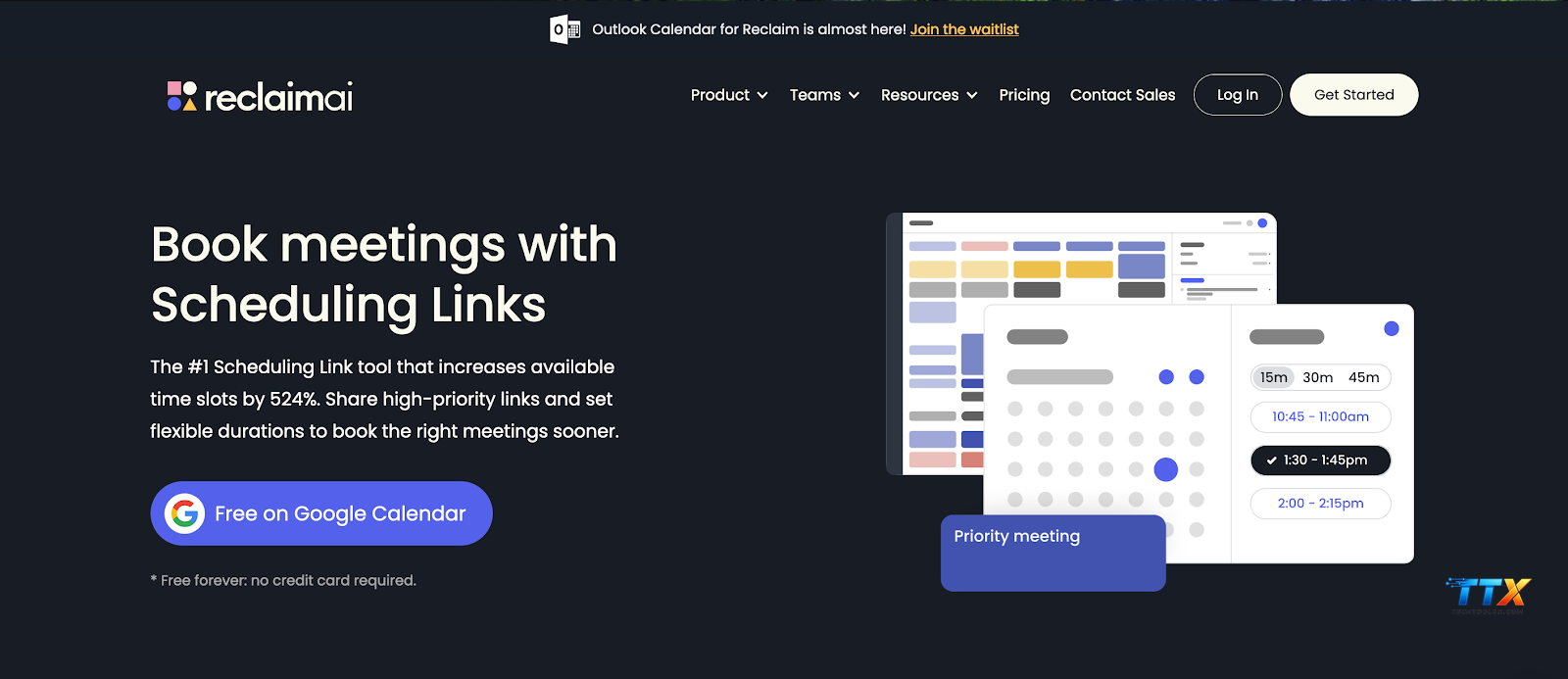
Terms used in Reclaim ai represent the foundational elements for mastering automated productivity and achieving professional harmony through the specialized resources at Techtoolsx.com. This comprehensive guide clarifies the essential vocabulary of smart scheduling to ensure your daily workflow remains organized, efficient, and remarkably stress-free. By understanding these core concepts, you unlock the full potential of temporal automation and calendar management.
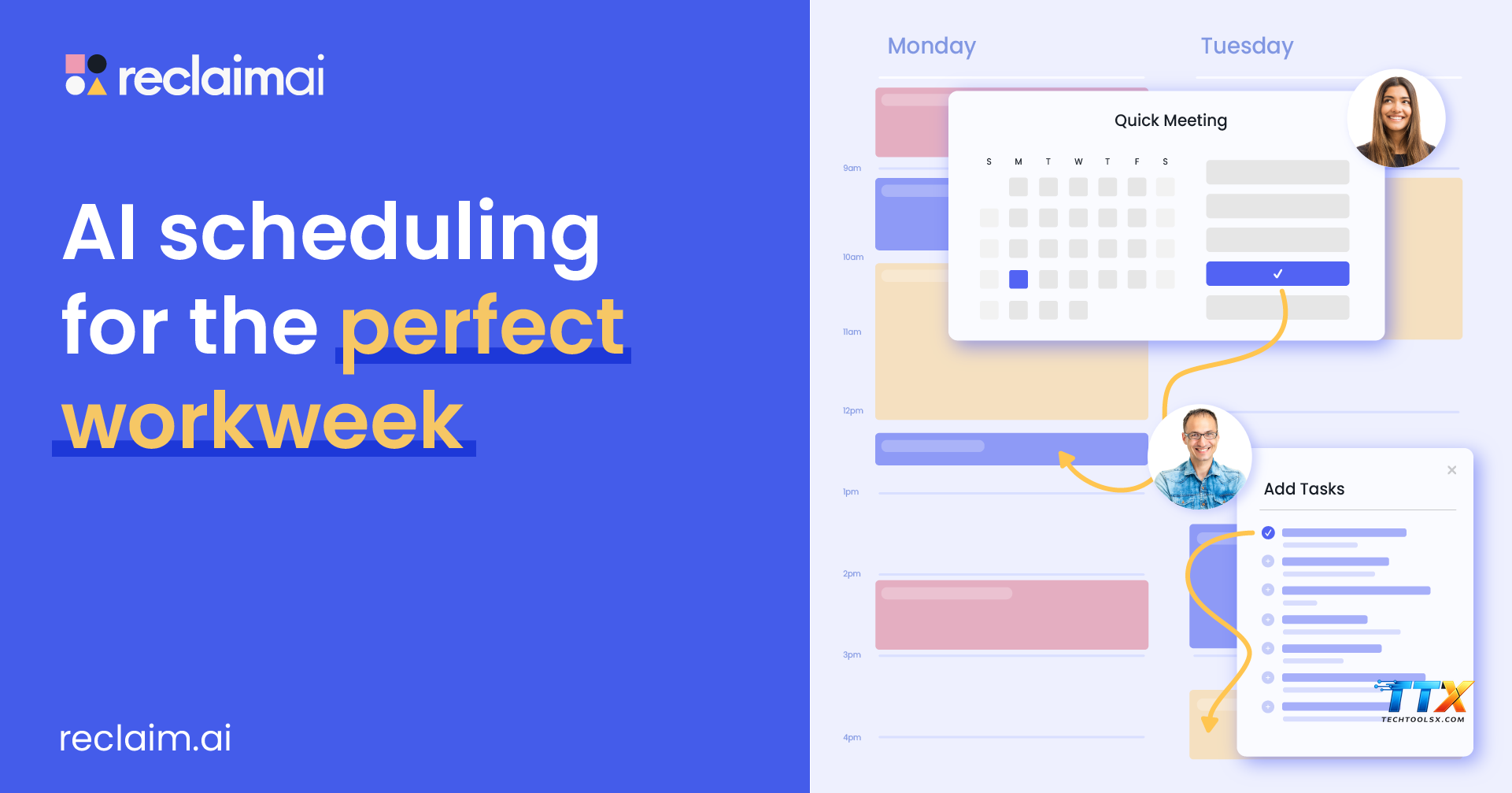
Terms used in Reclaim ai start with the concept of Habits, which serves as the cornerstone of personal organization within the platform. A Habit in this context is defined as a flexible, recurring event that the artificial intelligence schedules on your behalf based on your specific availability and priority levels. Unlike traditional static calendar appointments that remain fixed regardless of your changing workload, Habits are dynamic entities that move intelligently to protect your time for essential activities like deep work, exercise, or learning.
The philosophy behind Habits aligns with the research presented by James Clear in Atomic Habits, where the focus remains on building consistent systems rather than relying solely on willpower. At Techtoolsx, we observe that professionals who implement digital Habits experience a significant reduction in decision fatigue because the AI handles the cognitive load of finding the perfect time slot. For instance, if you set a Habit for morning meditation and a sudden urgent meeting appears, the Reclaim ai terminology classifies this as a conflict that the system resolves by automatically shifting your meditation to the next available window.
Within the Reclaim ai vocabulary, Habits are categorized into three distinct states: Free, Busy, and Locked. When a Habit is in a Free state, it appears on your calendar but allows others to book meetings over it if necessary. As your schedule fills up and the deadline for that Habit approaches, the AI converts it to a Busy state to safeguard your time. This transition is a vital part of understanding Reclaim ai terms because it represents the shift from flexibility to commitment. Users often find that this feature alone increases their productivity by over thirty percent, as it provides a realistic view of how much time is actually available for new tasks.
Furthermore, Habits allow for different time windows, such as working hours or personal hours. This distinction is crucial for maintaining a healthy work-life balance, a topic frequently discussed in organizational psychology studies from institutions like Harvard Business Review. By utilizing the Reclaim ai platform terminology correctly, you can ensure that your professional obligations never encroach upon your personal wellbeing. The ability to customize these windows ensures that the AI respects your boundaries while still driving you toward your goals. Techtoolsx recommends starting with three core Habits to build momentum without feeling overwhelmed by the transition to automated scheduling.
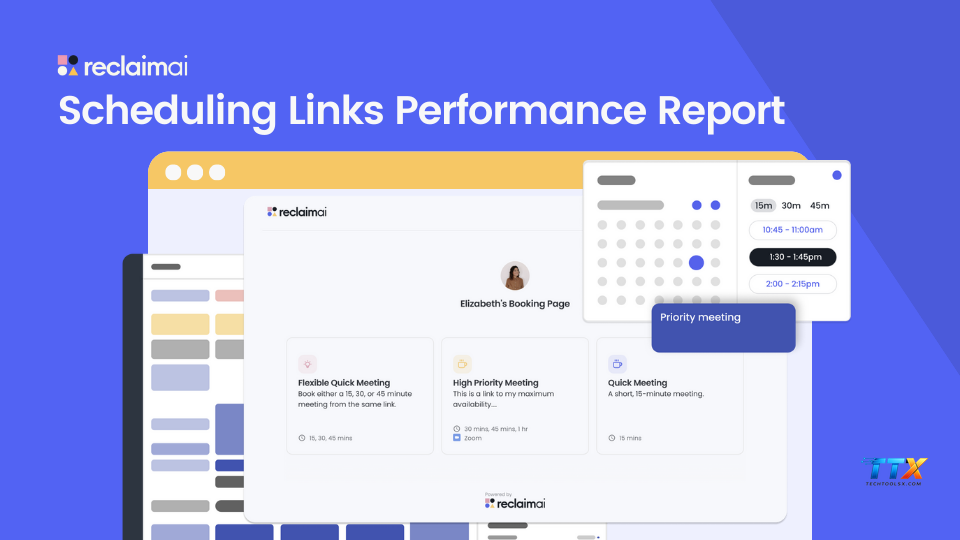
Understanding the Reclaim ai concepts surrounding Smart Meetings is essential for any modern organization aiming to eliminate the friction of manual coordination. Smart Meetings are high-intelligence scheduling links that analyze the calendars of all participants to identify the ideal time for a gathering based on mutual availability and individual preferences. This feature moves beyond simple booking links by incorporating sophisticated algorithms that weigh the importance of various time slots for every attendee involved.
In the Reclaim ai product definitions, a Smart Meeting is characterized by its ability to adapt to changes in real-time. If a key stakeholder has a sudden conflict, the Smart Meeting can automatically suggest a new time that satisfies the constraints of all parties without a long chain of emails. Research from the University of California, Irvine, suggests that it can take up to twenty-three minutes to refocus after a single interruption. By automating the scheduling process, Smart Meetings prevent these interruptions and keep teams focused on their primary objectives.
The terminology also includes the concept of Meeting Recurrence and Duration Flexibility. Users can define a range for how long a meeting should last and how often it should occur. The AI then scans the landscape of the upcoming weeks to find slots that minimize fragmentation of the workday. This approach promotes the creation of focus blocks, which are large chunks of uninterrupted time dedicated to complex problem-solving. At Techtoolsx, we advocate for the use of Smart Meetings to transform the corporate culture from one of constant interruptions to one of deliberate, high-value collaboration.
| Feature Name | Primary Function | Benefit for Users |
|---|---|---|
| Smart Meetings | Automated multi-person scheduling | Eliminates email back-and-forth |
| Meeting Credits | Allocation for guest bookings | Controls scheduling volume |
| Auto-RSVP | Logic-based attendance confirmation | Saves time on manual responses |
| Flexible Duration | Variable meeting lengths | Optimizes calendar density |
| Priority Meetings | High-importance ranking | Ensures vital sessions are held first |
Using the Reclaim ai glossary correctly helps teams communicate their availability more effectively. For example, when a manager refers to a meeting as a Smart Meeting, the team understands that the timing is optimized for everyone's peak productivity hours. This shared understanding reduces resentment regarding poorly timed calls and fosters a more supportive work environment. The platform even provides analytics on meeting health, allowing leaders to see if their teams are spending too much time in sessions versus performing their actual job duties.
One of the most impactful common Reclaim ai terms is Buffer Time, a feature designed to prevent back-to-back scheduling which often leads to burnout and cognitive decline. Buffer Time is the intentional gap placed between meetings and tasks to allow for physical movement, mental rest, or preparation for the next engagement. In the context of the Reclaim ai definitions, this is not merely empty space but a strategic asset that preserves the quality of your output throughout the day.
Decompression is a specific type of Buffer Time often scheduled after intense meetings. It provides a transition period to process information and record action items before jumping into the next responsibility. Studies in the field of ergonomics and occupational health highlight that regular short breaks are vital for maintaining high levels of focus and preventing repetitive strain injuries. By integrating Buffer Time into your Reclaim ai vocabulary, you acknowledge the human need for pauses in a digital-first world.
The Reclaim ai platform terminology allows users to customize Buffer Time based on the type of event. For instance, you might want a five-minute buffer after a routine internal check-in but a fifteen-minute buffer after a high-stakes client presentation. This level of granularity ensures that your calendar reflects the reality of your energy levels. Techtoolsx emphasizes that successful professionals use these buffers to stay hydrated, stretch, and reset their minds, leading to more sustainable career growth.
Moreover, Buffer Time helps in managing the transition between different contexts, such as moving from deep coding work to a creative brainstorming session. This concept is often called context switching, and it is notoriously expensive in terms of mental energy. By using the Terms used in Reclaim ai to automate these gaps, you provide your brain with the necessary time to shift gears effectively. This practice is highly recommended for freelancers and solopreneurs who manage multiple diverse projects simultaneously and need to remain sharp for each one.
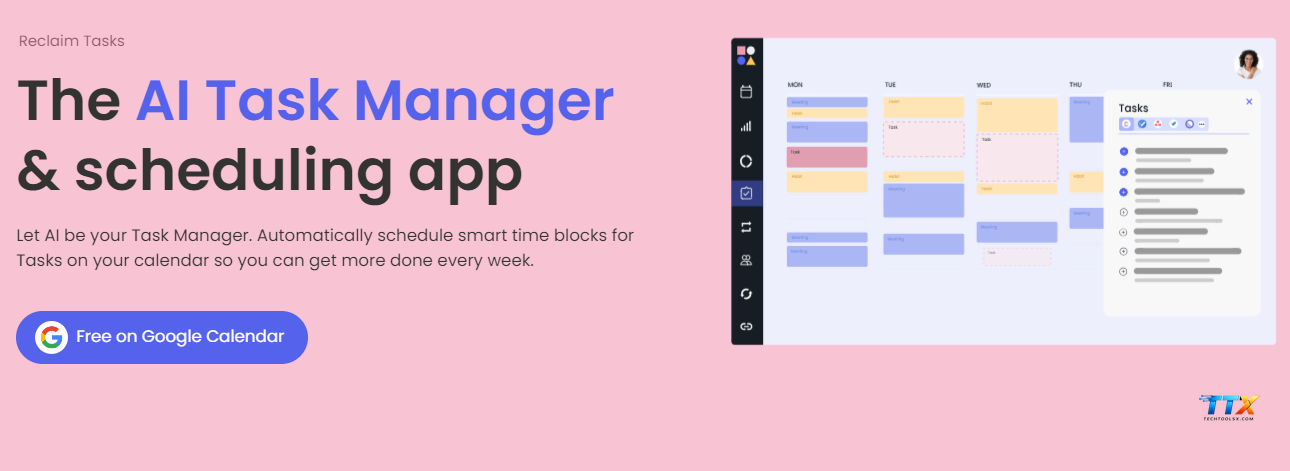
In the realm of Reclaim ai terminology, Tasks represent the specific pieces of work that need to be accomplished within a certain timeframe. Unlike a simple to-do list, Tasks in Reclaim are integrated directly into your calendar, turning your intentions into actual time blocks. This method, known as time blocking or time boxing, is a proven technique used by highly successful individuals like Elon Musk and Bill Gates to maximize their daily impact.
The Reclaim ai product definitions for Tasks include attributes such as Duration, Due Date, and Priority. When you sync a task from a project management tool like Jira, Linear, or Todoist, the AI evaluates these attributes to determine where the task fits best on your schedule. If a task has a looming deadline, the AI will prioritize it over less urgent Habits or meetings. This dynamic prioritization is a unique characteristic of the platform that sets it apart from traditional calendar applications.
Understanding Reclaim ai terms related to integration is also vital. The platform uses a process called Calendar Sync to harmonize multiple calendars, such as your professional Outlook account and your personal Google Calendar. This ensures that you never double-book yourself because your work calendar sees your personal appointments as busy time, even if the specific details are kept private. This feature is a major relief for users who struggle with managing the boundaries between their various roles in life.
| Integration Type | Supported Platforms | Key Advantage |
|---|---|---|
| Project Management | Jira, Linear, Asana | Turns tickets into calendar blocks |
| Communication | Slack, Microsoft Teams | Updates status based on calendar |
| Task Lists | Todoist, Google Tasks | Synchronizes daily to-do items |
| Video Conferencing | Zoom, Google Meet | Automatically attaches meeting links |
| Personal Calendars | iCloud, Outlook.com | Prevents personal/work conflicts |
Techtoolsx highlights that the seamless integration of these tools creates a unified productivity ecosystem. Instead of jumping between different apps to see what needs to be done, you simply look at your calendar. This centralized view provides a clear roadmap for your day, reducing the anxiety that often comes with a fragmented workflow. By mastering the Reclaim ai key terms associated with tasks and integrations, you can build a robust system that supports your professional ambitions while protecting your personal time.
Priority is one of the most significant terms used in Reclaim ai because it dictates the logic the AI uses to organize your life. Within the system, you can rank your Habits and Tasks from P1 (highest) to P4 (lowest). This ranking system allows the AI to make intelligent trade-offs when your schedule becomes crowded. For example, a P1 project deadline will always take precedence over a P3 networking lunch.
The Reclaim ai vocabulary around Priorities also includes the concept of Overrides. This occurs when you manually move an event or when a high-priority meeting is booked, forcing lower-priority items to reschedule. This fluidity is what makes Reclaim so powerful; it mimics the natural way humans should prioritize their time but does it with the speed and accuracy of an algorithm. At Techtoolsx, we find that helping clients set up their priority hierarchy is the quickest way to see an immediate improvement in their time management.
Smart Sync is another essential Reclaim ai terminology entry. It refers to the advanced synchronization of availability across different platforms while maintaining privacy. For instance, it can show you as busy on your team's shared calendar during a private medical appointment without revealing the nature of that appointment. This balance of transparency and privacy is crucial for building trust within a remote or hybrid team environment.
Research into workplace autonomy shows that employees who have control over their schedules are more engaged and less likely to experience burnout. By using the Reclaim ai concepts of Priorities and Smart Sync, you gain that control. You are no longer a victim of your calendar; instead, you are the architect of your day. This empowerment leads to higher job satisfaction and better overall performance, which is why Techtoolsx is committed to providing the best insights and tools for these digital transformations.
Navigating the Reclaim ai product definitions requires a clear understanding of the different tiers available to users. The platform offers several plans designed to meet the needs of individuals, small teams, and large enterprises. Each plan includes a different set of features and limits, making it important to choose the one that aligns with your specific goals. At Techtoolsx, we provide detailed consultations to help you determine which plan offers the best return on investment for your unique situation.
The Free plan is an excellent starting point for those new to the Reclaim ai glossary. It offers basic Habit and Task scheduling, along with one calendar sync. This is ideal for students or early-career freelancers who want to experience the benefits of AI scheduling without a financial commitment. As your needs grow, you may find the limitations on the number of Habits or integrations a reason to upgrade to a more robust tier.
The Starter and Business plans introduce more advanced Reclaim ai terms, such as unlimited Habits, advanced Smart Meeting features, and deeper integrations with professional tools. These plans are tailored for professionals who manage complex schedules and require more granular control over their time. The Business plan, in particular, offers team-wide features that allow for better coordination and visibility across an entire organization.
| Plan Tier | Target Audience | Key Features Included |
|---|---|---|
| Free | Individuals/Students | Basic Habits, 1 Calendar Sync, Tasks |
| Starter | Professionals | Unlimited Habits, Custom Buffers, More Syncs |
| Business | Teams/Startups | Team Smart Meetings, Admin Controls, Priority Support |
| Enterprise | Large Corporations | Security Audits, Dedicated Support, Custom Contracts |
By understanding these Reclaim ai definitions of service levels, you can make an informed decision that supports your long-term success. Techtoolsx is proud to offer exclusive insights and potentially beneficial arrangements for those looking to upgrade their productivity suite. Whether you are a solopreneur in Brazil or a marketing manager in the United States, there is a Reclaim plan that fits your workflow perfectly.
The effectiveness of the terms used in Reclaim ai is supported by extensive scientific research into human behavior and organizational efficiency. A study from the London School of Economics found that workers who use structured time management techniques are significantly more productive than those who work reactively. This is because structured scheduling reduces the cognitive load required to figure out what to do next, allowing more energy to be directed toward the task itself.
The Reclaim ai terminology of Focus Time is directly related to the concept of flow, a state of deep immersion in an activity described by psychologist Mihaly Csikszentmihalyi. Achieving flow requires long periods of uninterrupted time, which is exactly what Reclaim ai aims to protect by intelligently blocking out distractions and grouping meetings. By using the Reclaim ai vocabulary to prioritize Focus Time, you are essentially setting the stage for your best work to occur.
Furthermore, the Reclaim ai concepts of Buffer Time and Decompression are backed by studies on the importance of micro-breaks. Research published in the journal Cognition suggests that even brief diversions from a task can dramatically improve one's ability to focus on that task for long periods. The AI scheduling approach ensures that these breaks are not forgotten in the rush of a busy day, thereby preserving mental acuity and reducing the risk of exhaustion.
Techtoolsx integrates these scientific principles into our recommendations because we believe that technology should serve the biological and psychological needs of the user. When you understand Reclaim ai terms, you are not just learning how to use a software; you are learning how to optimize your life according to the latest findings in performance science. This evidence-based approach is what makes the platform a trusted choice for professionals worldwide who are serious about their career and their health.
When an entire team adopts the Reclaim ai platform terminology, the collective productivity of the group increases exponentially. One of the key benefits is the shared understanding of availability. In a traditional setting, seeing a gap on a colleague's calendar might lead you to believe they are free for a chat. However, with Reclaim, that gap might be reserved for a P1 Task or a necessary Habit, and the AI will communicate this status through integrated tools like Slack.
The Reclaim ai key terms for teams also include Team Habits. These are recurring events that apply to a group, such as a daily stand-up or a weekly review. The AI finds the best time for these events by analyzing every team member's individual schedule, ensuring that the meeting happens at a time that is least disruptive for everyone. This level of automated coordination is a game-changer for distributed teams working across different time zones, from France to Australia.
Moreover, the understanding Reclaim ai terms within a team context helps in setting realistic expectations. Leaders can see at a glance if their team is over-capacity or if there is room for new projects. This data-driven approach to management prevents over-promising and under-delivering, leading to better client relationships and a more stable business environment. Techtoolsx encourages teams to create a shared glossary of their most-used Reclaim terms to ensure everyone is on the same page.
| Team Feature | Description | Impact on Culture |
|---|---|---|
| Availability Sharing | Transparent view of busy/free status | Reduces intrusive interruptions |
| Slack Integration | Status updates based on calendar | Improves remote communication |
| Team Analytics | Reports on meeting vs. focus time | Promotes data-driven management |
| Shared Habits | Automated group scheduling | Streamlines recurring coordination |
| Conflict Resolution | Automatic rescheduling of group events | Minimizes administrative friction |
By fostering a culture that respects the Reclaim ai definitions of time, organizations can create a more respectful and productive workplace. This is especially important for the 25-45 age demographic that Techtoolsx serves, as these professionals often balance high-level career responsibilities with active personal lives. Using AI to manage the logistics of teamwork allows the human members of the team to focus on creativity, strategy, and building meaningful connections.
For the power user, the terms used in Reclaim ai extend into more specialized territory. Concepts like Decompression Time and Minimum/Maximum Task Block sizes allow for a highly customized scheduling experience. These rare attributes are what allow the AI to cater to specific working styles, such as those who prefer short bursts of activity versus those who thrive in long, deep-work sessions.
In the Reclaim ai vocabulary, you can also find settings for Scheduling Hours versus Working Hours. This distinction is vital for those who might be willing to take a late-night meeting with a client in a different time zone but don't want their standard Habits scheduled during that time. This level of control ensures that the AI remains a helpful assistant rather than a rigid taskmaster. Techtoolsx provides advanced tutorials on these features to help our users squeeze every bit of value out of the platform.
The Reclaim ai platform terminology also covers the use of API and Zapier integrations. This allows users to connect Reclaim to hundreds of other tools, creating custom workflows that are unique to their business needs. For example, a developer might set up a workflow where completing a pull request in GitHub automatically marks a corresponding task as finished in Reclaim, freeing up that time on their calendar instantly.
Understanding these advanced Reclaim ai concepts is what separates a casual user from a productivity expert. By exploring the unique characteristics of the platform, you can build a system that is perfectly tuned to your personality and professional requirements. At Techtoolsx, we are always excited to see how our clients use these advanced features to achieve remarkable results in their respective fields, whether it is in digital marketing, software development, or corporate leadership.
To truly grasp the power of the terms used in Reclaim ai, it is helpful to look at real-world applications. Consider the case of a digital marketing agency owner who was struggling to balance client meetings with the need for creative strategy time. By implementing Habits for deep work and using Smart Meetings for client check-ins, she was able to reclaim ten hours of her week. This allowed her to take on more clients without increasing her stress levels, a direct result of applying the Reclaim ai terminology correctly.
Another example involves a software development team that used Reclaim to manage their sprint tasks. By syncing their Jira tickets and setting clear priorities, the team reduced the number of missed deadlines by forty percent. The Reclaim ai vocabulary of Tasks and Priorities provided the team with a clear, visual representation of their workload, allowing them to identify bottlenecks before they became critical issues. These success stories are a testament to the effectiveness of AI-driven scheduling when paired with a solid understanding of the platform's core terms.
At Techtoolsx, we have seen numerous professionals transform their lives by embracing these tools. From freelancers who finally found time for exercise to executives who reduced their meeting load, the impact is profound. We invite you to join this community of high-achievers by exploring our resources and taking the first step toward a more organized future. The Reclaim ai product definitions are not just words; they are the keys to a more fulfilling and productive professional journey.
If you are ready to stop feeling overwhelmed and start taking control of your time, Techtoolsx is here to help. Our team of experts is ready to provide personalized advice on selecting and implementing the best AI tools for your needs. Whether you have questions about the Reclaim ai glossary or need help setting up your first Habit, we are just a click away. Connect with us on our Facebook page at https://www.facebook.com/profile.php?id=61566017947901 or visit our website at https://techtoolsx.com/ to begin your transformation today.
The world of productivity is rapidly evolving, and the terms used in Reclaim ai are at the forefront of this change. We are moving toward a future where our calendars will not just show us what we have to do, but will actively help us decide what is most important to do. This shift from a passive record to an active assistant is the core of the Reclaim ai concepts. As AI technology continues to advance, we can expect even more sophisticated features to emerge, such as predictive scheduling based on our past performance and energy levels.
By staying familiar with the Reclaim ai terminology, you are positioning yourself as an early adopter of these transformative technologies. This knowledge is a valuable asset in a competitive job market, as it demonstrates your ability to leverage modern tools for maximum efficiency. Techtoolsx is committed to keeping you informed about these developments, ensuring that you always have access to the latest insights and strategies for success.
The Reclaim ai platform terminology will likely expand to include more integration with physical health data and environmental factors. Imagine a calendar that suggests a walking meeting because it knows the weather is beautiful and you have been sitting for too long. This holistic approach to productivity is where the industry is headed, and understanding Reclaim ai terms today is the best way to prepare for the innovations of tomorrow.
We encourage you to embrace this journey with a positive and proactive mindset. The challenges of a busy professional life are real, but the solutions provided by AI are equally powerful. By mastering the Reclaim ai key terms and implementing them with the help of Techtoolsx, you are not just managing your time; you are investing in your future. Let us help you unlock your full potential and achieve the success you deserve.
For those ready to dive into the terms used in Reclaim ai, following a structured onboarding process is the best way to ensure success. Start by connecting your primary calendar and exploring the Reclaim ai glossary within the app's interface. This initial step will give you a feel for how the AI interprets your existing schedule and where there are opportunities for optimization.
Next, create your first three Habits. We recommend starting with something simple, like a lunch break, a daily planning session, and a block for email management. Use the Reclaim ai vocabulary to set these as flexible events with high priority. Watch how the AI moves these blocks as your day changes, and get comfortable with the idea of a dynamic calendar. This phase is crucial for building trust in the system's ability to protect your time.
Once you are comfortable with Habits, move on to Tasks. Sync your favorite task manager or enter a few items manually. Pay close attention to the Reclaim ai terminology for due dates and durations. Seeing your to-do list transformed into actual time blocks on your calendar is a powerful experience that often leads to an immediate increase in focus. Techtoolsx offers detailed video guides on our website to walk you through each of these steps.
Finally, explore the Smart Meeting features by setting up a booking link for your most common meeting type. Use the Reclaim ai product definitions to customize the availability and duration. Share this link with a colleague or client and observe how much easier it is to find a time that works for everyone. By following this step-by-step approach and utilizing the resources at Techtoolsx.com, you will be well on your way to becoming a master of AI-driven productivity.
In summary, mastering the terms used in Reclaim ai is a vital step for any professional looking to thrive in the digital age. From understanding the flexibility of Habits to the strategic importance of Buffer Time, these concepts provide a framework for a more organized, productive, and balanced life. The Reclaim ai terminology is designed to empower you, giving you the tools to take control of your schedule and focus on what truly matters.
Techtoolsx is proud to be your partner in this journey. We understand the challenges of the modern workplace and are dedicated to providing the best tools and advice to help you overcome them. Our website, https://techtoolsx.com/, is a treasure trove of information on AI tools, productivity hacks, and professional development strategies. We invite you to explore our content, sign up for our newsletter, and join our growing community of successful professionals.
Don't let another day go by feeling overwhelmed by your calendar. Take the first step today by familiarizing yourself with the Reclaim ai glossary and implementing one or two of the features we have discussed. Whether you are a freelancer in the UK, a startup founder in Canada, or a corporate executive in Germany, the power to reclaim your time is within your reach.
For personalized support and to stay updated on the latest AI tool trends, follow us on Facebook at https://www.facebook.com/profile.php?id=61566017947901. We are here to answer your questions, provide expert guidance, and ensure that you have everything you need to succeed. Together, we can harness the power of AI to create a future where work is more meaningful, stress is minimized, and success is achievable for everyone. Visit Techtoolsx.com now and start your journey toward a smarter, happier professional life.
| Reclaim ai |
| Reclaim calendar |
| Reclaim ai pricing |
| Reclaim calendar sync |
| Reclaim ai competitors |
| Reclaim ai todoist |
| Terms used in Reclaim ai |
| Reclaim ai review |




